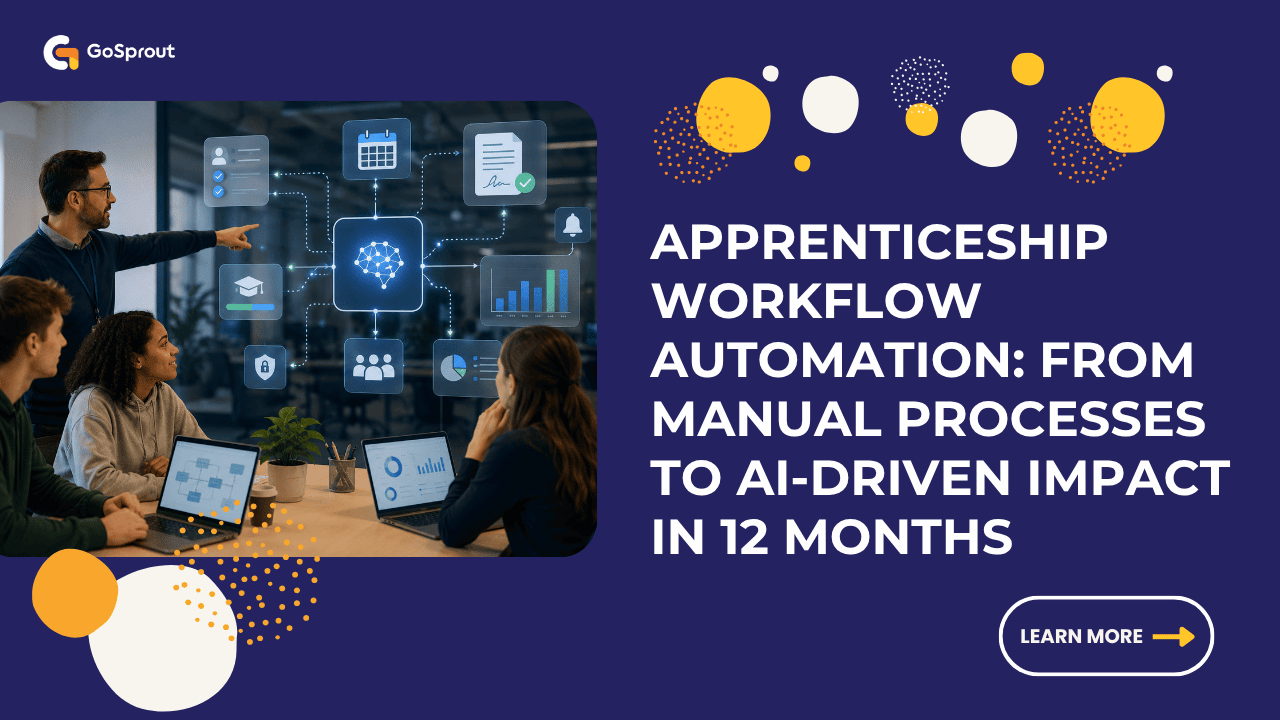
Still managing apprenticeship admin through spreadsheets, email chains, and paper forms? You’re not alone—but you’re also leaving thousands of hours on the table. This guide walks you through how to transform your apprenticeship operations using AI agents, low-code platforms, and event-driven workflows that actually work.
Table of Contents
- What Is Apprenticeship Workflow Automation?
- Immediate Wins: Workflows You Can Automate in Apprenticeships Today
- Pre-Built Agents & Workflows for Repeatable, Compliant Apprenticeships
- From Data to Documents: Production-Ready Apprenticeship Artifacts
- Beyond Chatbots: Proactive, Event-Driven Apprenticeship Automation
- One Automation Layer Across Every Apprenticeship System
- Reach Apprentices and Managers Where They Already Work
- Secure, Scalable Infrastructure for Apprenticeship Automation
- Who Is Apprenticeship Workflow Automation For?
- Funding, Eligibility, and Time Commitment
- Why Choose Our Business for Apprenticeship Workflow Automation?
- FAQs on Apprenticeship Workflow Automation
- Next Steps: Turning Apprenticeship Automation Ideas into Live Workflows
Learn more about apprenticeship workflow automation and how it fits your operations.
What Is Apprenticeship Workflow Automation?
Apprenticeship workflow automation uses digital tools to replace manual, paper-based administrative tasks with streamlined electronic systems. It means deploying AI agents and automation platforms to handle every stage of an apprenticeship—enrolment, learning delivery, on-the-job projects, assessments, and compliance reporting. The benefit of digital apprenticeship workflow automation includes improved skills, career development, and greater operational efficiency for both organizations and employees.
Automated apprenticeship management involves transitioning from manual methods like spreadsheets and paper logs to specialized Apprenticeship Management Systems. Tools like Microsoft Power Automate, n8n, Zapier, OpenAI, and Google Gemini connect with LMS platforms like Moodle or Canvas to orchestrate workflows without custom coding. However, organizations often face challenges in moving from paper-based to automated systems, such as adapting legacy processes and ensuring data integrity.
Unlike generic business automation, this approach focuses on structured, governed, competency-based training. It ensures compliance with standards like Ofsted, ESFA, and USDOL requirements while making programs faster to run and easier to govern. The advantage of upskilling employees through automation is that it directly aligns with industry needs, providing a competitive edge and supporting career growth. Operators gain the ability to operate, troubleshoot, and manage robotic systems, and specialized courses are available to support this upskilling. Manufacturing is a sector where apprenticeship workflow automation is particularly impactful, driving efficiency and innovation. Key stakeholders include L&D leaders, apprenticeship providers, HR teams, line managers, apprentices, and compliance teams.

Immediate Wins: Workflows You Can Automate in Apprenticeships Today
You can have tangible automation wins live within 2–6 weeks using off-the-shelf tools. Apprenticeship software streamlines administrative, tracking, and compliance tasks throughout the lifecycle of an apprentice, helping companies improve efficiency and improve processes. Companies often collaborate with partners to implement these automation solutions.
Target these high-impact workflows first:
- Onboarding emails triggered by HRIS “hired” status
- Eligibility checks pulling candidate data from ATS
- Individual learning plan generation using AI skill mapping
- Induction scheduling 30 days before cohort start dates
- Manager reminders via Teams/Slack for upcoming reviews
- Training agreement signatures routed through DocuSign
Wire together HRIS, ATS, LMS, Outlook/Google Calendar, and Teams/Slack to eliminate manual handoffs.
“Today, But Faster” Apprenticeship Admin
These high-frequency admin tasks can be automated using templates and AI agents:
- Offer letters: Auto-generate from HRIS data with apprentice name, start date, line manager, and programme code
- Training agreements: Flow from LMS enrolment to e-signature tools with automatic approval routing
- Calendar invites: For a cohort starting 1 September 2026, generate and send all induction invites 30 days in advance
- Learning contract signatures: Route through Adobe Sign with compliance team approval gates
This approach saves 4–6 hours per cohort on manual enrolment admin by eliminating copy-paste between HR, LMS, and finance systems. Deploying AI workflows can save thousands of hours annually by automating repetitive tasks, with the benefit of reducing manual effort and improving safety and compliance through secure, automated processes.
Workflows You Never Thought Possible With Apprenticeships
AI can now analyse learner progress logs, assignment submissions, and workplace project data to surface patterns:
- Predicting non-completion risk: Identify apprentices whose assignment submissions dropped by 30% over the last 4 weeks
- Flagging missing off-the-job hours: Automatically detect shortfalls against ESFA’s 20% minimum requirement
- Recommending stretch projects: Match skills gaps from e-portfolio entries to available workplace assignments
- Generating personalised revision plans: Use Gemini or OpenAI to synthesise progress data into actionable study guides
- Proactive alerts: Notify coaches and managers via email, Teams, or Slack when risk thresholds are crossed
By leveraging retrieval augmented generation and ground ai techniques—such as integrating enterprise data, internal documentation, and contextual information—AI-driven insights can be made more accurate and relevant, especially when tailored to the specific needs of each site.
Industry data shows 25–40% dropout rates in apprenticeship programs without intervention. Early detection changes outcomes.
Pre-Built Agents & Workflows for Repeatable, Compliant Apprenticeships
Compliance with funding rules, audit trails, and ESFA/Ofsted/USDOL standards demands consistent, repeatable workflows. Automated systems can significantly reduce the risk of penalties or program suspension due to record-keeping errors.
Pre-built or templated workflows provide reusable, version-controlled flows for each lifecycle stage:
- Onboarding: Triggered by HRIS status, syncing to LMS and e-portfolio within 5 minutes
- Monthly tripartite reviews: Collecting inputs from apprentice, manager, and coach
- Off-the-job tracking: Hour logging from mobile apps with automatic shortfall alerts
- Gateway checklists: End-point assessment preparation with task verification
- Completion certificate generation: Automated upon final assessment sign-off
Effective AI workflows require a governed engine rather than isolated scripts, ensuring automations are secure, compliant, and scalable.
Designing Governed Apprenticeship Workflows
Each automation needs a documented owner, version, and change-log stored in a central repository like Confluence, Notion, or SharePoint.
Required elements of a governed workflow:
- Trigger definition: Cron jobs, webhooks, or system events
- Data sources: APIs from Bud, Aptem, PICS, or HRIS
- Steps with approvals: Human-in-the-loop for sensitive actions
- Exception handling: Retry logic, email alerts on API failures
- Audit outputs: Immutable logs for regulatory review
Example: A monthly tripartite review workflow triggers on the 1st of each month, collects input from apprentice, manager, and coach via forms, and saves a signed PDF to a secure SharePoint drive. Compared to one-off macros, pre-built flows reduce audit failures by 70%.
From Data to Documents: Production-Ready Apprenticeship Artifacts
Automation transforms raw logs and data into formal documents needed for quality assurance and funding claims. Data-driven dashboards provide insights into apprentices’ progress, enabling early interventions for those who are falling behind.
Key artifacts to automate:
- Learning plans (PDF generated from skill assessments)
- Review notes (compiled from form submissions)
- Progress reports (LMS engagement metrics)
- Completion certificates (triggered by final assessment)
- Ofsted evidence packs (bundling OTJ hours and competency mappings)
- Employer ROI summaries (cost savings and productivity metrics)
AI drafts these documents, but humans review through a “draft then approve” flow with track changes. AI-driven workflows can lead to significant productivity increases, with some organisations reporting up to 100% productivity gains after implementing these systems.

Automated Impact & ROI Reporting
Leadership needs quantifiable outcomes. Pull data from HRIS, helpdesk tools like ServiceNow, and project systems like Jira or Asana to showcase real business value.
Sample metrics to track:
- Hours saved per learner per month
- Cost avoided through reduced manual processing
- Promotion rates among apprenticeship completers
- Retention improvements post-programme
Example: 18,000 hours recovered annually across a 40-apprentice cohort by automating reporting and routine data entry. Organisations that implement automation can achieve immediate ROI by reclaiming hours spent on manual tasks, allowing teams to focus on strategic analysis and smarter decisions.
Automation can lead to increased productivity by providing real-time visibility into skill gaps, allowing for faster skill acquisition.
Beyond Chatbots: Proactive, Event-Driven Apprenticeship Automation
This isn’t a Q&A chatbot—it’s a network of event-driven workflows that respond to triggers 24/7. Deploying AI workflows can save organisations thousands of hours annually by automating repetitive tasks and improving operational efficiency.
Concrete triggers to configure:
- Missed assignment deadlines (escalate to coach after 48 hours)
- Low LMS login frequency (fewer than 2 logins in 14 days)
- Failed knowledge checks (recommend remedial resources)
- New HR joiner events (initiate onboarding sequence)
- Policy changes (push updated materials to active cohorts)
- Workshop no-shows (send automated alerts and rebooking options)
Automations can send nudges, book catch-up sessions, or generate escalation tickets across email, SMS, WhatsApp, Microsoft Teams, Slack, and in-LMS notifications.
Real-Time Risk Detection & Learner Support
Set up thresholds that automatically flag a learner as “at risk”:
- Fewer than 2 logins in 14 days
- 2 consecutive missed workshops
- Assignment submission rate dropped below 50%
Example workflow: Between 1 January and 31 March 2026, monitor engagement of the April 2025 intake. When thresholds are crossed, an AI agent drafts a supportive message, suggests office hours slots, and alerts the coach and manager. Privacy and sensitivity matter—ensure consent and GDPR compliance when automating learner communications.
One Automation Layer Across Every Apprenticeship System
Apprenticeship data lives in many siloed systems. Centralized digital systems for apprenticeship programs ensure clarity on progress, facilitating smooth communication and mentorship.
Common systems and vendors:
- HR: Workday, SAP SuccessFactors
- CRM: Salesforce
- LMS: Moodle, Canvas
- E-portfolio: Bud, Aptem, PICS
- Finance: Dynamics 365
- Communication: Microsoft Teams, Slack
Middleware, APIs, and webhooks allow a single automation layer to orchestrate workflows across all systems using REST APIs, JSON, OAuth2, and MQTT protocols. Benefits include a single source of truth, reduced duplicate data entry, and consistent reporting for audits.
Common Integration Patterns for Apprenticeship Automation
- HR-to-LMS sync: When a candidate moves to “Hired Apprentice” in Salesforce, create a new record in the LMS and e-portfolio within 5 minutes
- CRM-to-funding handoff: Trigger levy claim workflows when enrolment is confirmed
- E-portfolio-to-reporting export: Weekly data pulls for compliance dashboards
- Teams-to-calendar scheduling: Automated booking for tripartite reviews
Include error handling: email alerts when an API call fails or when data is incomplete.
Reach Apprentices and Managers Where They Already Work
Effective automation communicates via channels people check daily. Mobile access and self-service portals empower apprentices to take ownership of their progress and remain engaged with their training. The platform is mobile friendly, allowing access from any device.
Channel-specific use cases:
- Email: Formal documents, completion certificates, policy updates
- SMS/WhatsApp: 24-hour workshop reminders, urgent deadline alerts
- Teams/Slack: Quick nudges for overdue reviews, manager approvals
- In-LMS notifications: Assignment feedback, new module releases
Example: Send a WhatsApp reminder 24 hours before a workshop, and a Teams notification to a line manager when a review is overdue.
Templates & Tone for Automated Communications
Build a library of message templates for key events:
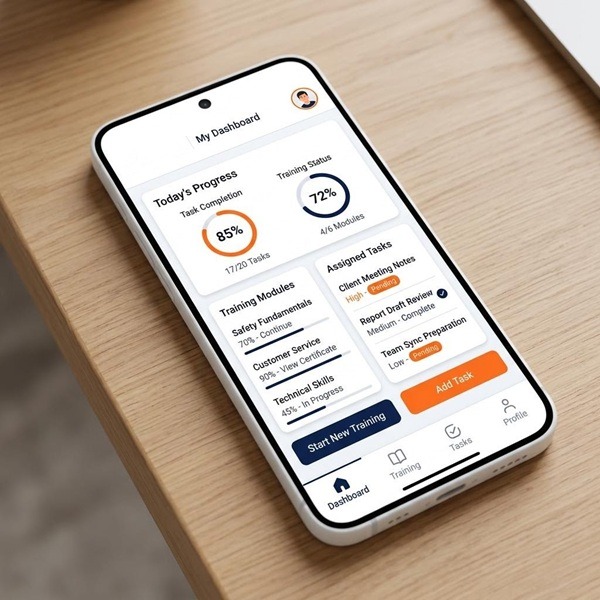
- Welcome series (personalised with apprentice name and programme title)
- Deadline reminders (due dates pulled dynamically)
- Celebration messages on milestone completion
- “Gateway Ready” emails with checklists of remaining tasks
Use a human, encouraging tone—especially for underperformance messages. Templates should be version-controlled and reviewed regularly by compliance and safeguarding leads.
Secure, Scalable Infrastructure for Apprenticeship Automation
When automating learner data flows, reliability and security are non-negotiable. Modern cloud providers like Azure, AWS, and GCP offer autoscaling containers and serverless functions with 99.9% uptime SLAs.
Key requirements:
- Encryption at rest and in transit
- Data residency options (UK/EU/US)
- Single sign-on via Azure AD/Okta
- Role-based permissions for staff and apprentices
- Disaster recovery and backup protocols
This matters for regulators and large employers in highly regulated sectors like finance, healthcare, and public sector operations.
Safe Sandbox Environments for Learning & Experimentation
Provide a browser-based automation sandbox where apprentices can build workflows without touching live systems:
- Low-code tools (n8n, Power Automate)
- Scripting capabilities (Python, JavaScript)
- Test connectors mirroring real systems
- Automatic validation of workflows before production promotion
Use separate dev, test, and production environments with clear promotion gates and approvals.
Who Is Apprenticeship Workflow Automation For?
This approach serves employers, training providers, colleges, and government-funded programmes. Companies that invest in upskilling employees to meet industry needs gain the advantage of a workforce equipped for career growth and advanced roles, such as maintenance or troubleshooting, giving them a competitive edge. The global market for robotics is expected to expand at a compounded annual rate of close to 20%, highlighting the need for skilled workers in automation and robotics and the importance of aligning employee development with current industry needs.
Primary audiences:
- L&D leaders seeking to scale apprenticeship programs
- Apprenticeship providers managing multiple employer relationships
- Operations teams identifying workflow bottlenecks
- Continuous improvement specialists moving from process mapping to implementation
- Digital enablement teams providing governance and coaching
No deep coding background is required—low-code tools lower the barrier. Companies are increasingly investing in training programs to help employees transition from operational roles to more technical positions in response to automation.
Operational, CI, and Enablement Teams
Operational teams can identify bottlenecks in apprentice workflows and own resulting automations. Training incumbent workers with experience is different from vocational technical education, as it focuses on teaching them how to use technology specific to a solution rather than revisiting fundamentals.
Upskilling can take the form of specialty training that focuses on using and repairing specific systems or higher-order education filling knowledge gaps. The benefit of upskilling operators is that it enhances their ability to transition into more technical or supervisory roles, supporting both career advancement and operational efficiency. Consider creating an “Apprenticeship Automation Champion” role embedded within HR or L&D.

Funding, Eligibility, and Time Commitment
The UK government introduced the Apprenticeship Levy scheme in April 2017 to encourage investment in workforce skills, requiring organisations with annual staff costs over £3 million to contribute a percentage of their salary bill to a dedicated apprenticeship fund.
Funding options:
- UK Levy: Covers 95–100% of training costs (average £18,000 per apprentice)
- SME co-investment: 5% employer contribution for non-levy payers
- US state incentives via IRA for prevailing wage compliance
- EU skills funds for digital transformation initiatives
Eligibility typically requires: employment status, location (50%+ working time in relevant region), and residency duration. Realistic time commitment: 4–6 hours per week of off-the-job learning plus monthly manager reviews.
Designing Automation Around Busy Schedules
Structure learning in bite-size blocks: 60–90 minute sessions that fit around operational roles. Use automation to schedule learning windows, send reminders, and rebook missed sessions.
Generate monthly manager summaries so leaders see impact without attending every session. Example cadence: quarterly review meetings, monthly checkpoints, weekly micro-learning tasks.
Why Choose Our Business for Apprenticeship Workflow Automation?
We specialise in AI-driven apprenticeship workflow design and delivery, combining deep domain expertise with practical implementation support. The AI Workflow Specialist apprenticeship is designed to empower teams to build, deploy, and govern AI workflows that can save thousands of hours annually by automating repetitive tasks.
Our differentiators:
- Pre-built workflow library for common apprenticeship processes
- Secure sandbox environments for safe experimentation
- Real-time dashboards tracking learner progress and business impact
- 1-to-1 mentoring support throughout programme delivery
- Integration with existing stacks (Moodle, Bud, Aptem, Dynamics, Salesforce, Workday)
- Co-designed workflows that embed internal capability
Apprenticeships in AI and automation can lead to significant productivity increases, with some programs reporting up to 100% productivity gains and substantial annual savings. The AI & Automation Practitioner L4 apprenticeship equips individuals to lead practical AI change, analyse and redesign workflows, and build governed automations, improving efficiency and decision-making.
Our Support Model: People + Platform
We provide dual support: technical mentors guiding automation builds and success coaches ensuring behaviour change and adoption. Our approach gives employers live visibility into learner progress, workflow usage, and business impact metrics.
Want to Learn More About Your Registered Apprenticeship Opportunities?
BOOK A FREE CONSULTATION
Typical engagement timeline:
- Weeks 1–2: Discovery and workflow mapping
- Weeks 3–6: Design and pilot deployment
- Months 2–12: Phased scale across functions
We provide compliance and governance templates tailored to apprenticeship standards and audit requirements.
FAQs on Apprenticeship Workflow Automation
Absolutely. Starting with a single cohort lets you validate workflows, measure time savings, and build internal confidence before expanding. Most clients see measurable results within the first 90 days.
Every workflow includes human-in-the-loop checkpoints for sensitive actions. Role-based access controls, encryption, and GDPR-compliant data handling are built into the infrastructure.
Basic comfort with low-code tools and process logic is sufficient. We provide training and documentation so your team can modify triggers, update templates, and troubleshoot common issues.
Most organisations report 30–50% admin reduction within the first 6 weeks of pilot deployment. Full programme rollout typically delivers ROI within 6 months.
Yes. OCR tools can digitise paper forms, and workflows can handle hybrid scenarios where some inputs remain manual during transition periods.
Exception handling routes failures to designated team members via email alerts. Retry logic attempts recovery automatically, and audit logs capture every step for troubleshooting.
Transparency builds trust. We recommend informing apprentices that automated reminders and progress tracking support their journey—most find it reassuring rather than intrusive.
Next Steps: Turning Apprenticeship Automation Ideas into Live Workflows
Moving from theory to practice starts with action:
- Run a 60-minute discovery workshop to map current processes
- Pick 2–3 high-impact workflows for initial automation
- Launch a 6-week pilot with measurable KPIs
- Involve a cross-functional group (HR, L&D, IT, line managers, apprentices)
- Define success metrics: hours saved, error reduction, compliance scores
Ready to stay ahead of manual processes? Contact us for a no-obligation consultation to identify your biggest automation opportunities and build a roadmap that delivers real business impact within 12 months.


