Table of Contents
- What Is Workforce Training Tracking Software?
- Why Tracking Employee Training Matters More in 2024–2026
- Core Capabilities of Modern Training Tracking Software
- How Workforce Training Tracking Software Works Day to Day
- Key Features to Look for in Workforce Training Tracking Software
- Work-Based Learning vs. Traditional Employee Training: What’s Different to Track?
- How to Choose the Right Training Tracking Software for Your Organization
- Common Mistakes When Tracking Employee Training (and How Software Fixes Them)
- How GoSprout Supports Workforce Training, Apprenticeships, and Compliance
- Implementation Roadmap: Moving From Spreadsheets to a Training Tracker
- Frequently Asked Questions About Workforce Training Tracking Software
- Why Choose GoSprout for Workforce Training Tracking?
- Take the Next Step: See Your Training Data in One Place
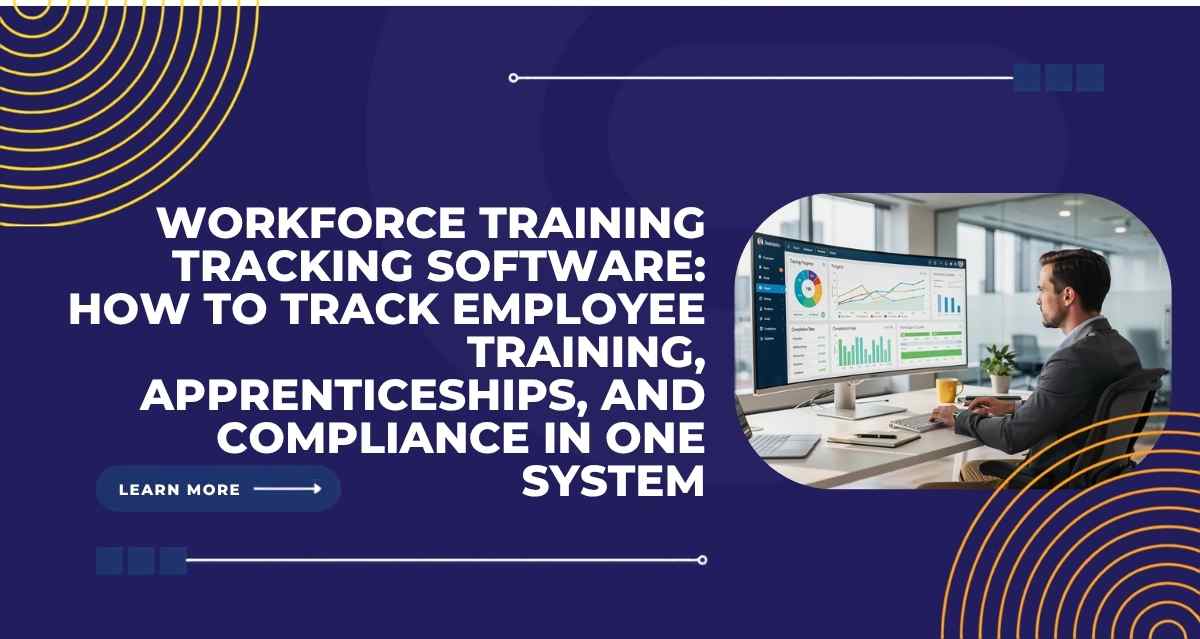
Workforce training tracking software is the system that centralizes how your organization monitors, records, and reports on every aspect of workforce training, from a single OSHA safety module to a four-year Registered Apprenticeship Program. If you manage training programs that blend classroom instruction with hands-on work, like apprenticeships, pre-apprenticeships, or internships, this category of software replaces the tangle of spreadsheets, paper logs, and email chains that most organizations still rely on.
Manual tracking no longer works. In 2026, construction firms must prove OSHA compliance across dozens of job sites. Healthcare systems need to verify CEU renewals for hundreds of nurses. IT employers need to document CompTIA and AWS certification progress for apprentices in real time. The volume, velocity, and regulatory specificity of training data have outgrown static spreadsheets, and one missed record can mean a failed audit, a delayed wage increase, or a five-figure penalty.
This article focuses on practical ways to track employee training across both on-the-job training (OJT) and related technical instruction (RTI), maintain accurate training records, and prove compliance using modern software. Whether you run a single apprenticeship cohort or coordinate training across multiple employers and school districts, you will find actionable guidance here.
GoSprout is an all-in-one work-based learning platform and employee training tracker built for exactly these scenarios, combining LMS delivery, OJT/RTI tracking, competency management, and automated compliance reporting. But this guide is for anyone evaluating workforce training tracking software, regardless of the platform you choose.
What Is Workforce Training Tracking Software?
Workforce training tracking software refers to systems that centralize, monitor, and report on employee training content, delivery, outcomes, and credentials. In the context of structured programs like Registered Apprenticeship Programs (RAPs), it tracks not only course completion but also competencies, supervised work hours, mentor evaluations, wage steps, and compliance artifacts. This software serves as a centralized source of truth for training records, whether those records involve a safety certification, a diversity training module, or a multi-year technical apprenticeship.
Key features of training tracking software include centralized record-keeping and progress monitoring. It stores training data such as safety certifications (HAZWOPER, OSHA 10/30), technical credentials like AWS welding or NCCER, assessment results, attendance logs, and supervisor sign-offs. Everything is date-stamped, tied to individuals and cohorts, and queryable for audits.
Many people confuse a learning management system with a training tracker. An LMS delivers instruction: courses, modules, quizzes, and content. Training tracking software sits alongside or on top of the LMS, measuring progress, capturing evidence, managing skill assessments, and generating compliance reports. The LMS handles training delivery; the tracking layer proves what happened and whether it met requirements.
Between 2024 and 2026, the need for centralized tracking of employee training has intensified. Remote and hybrid work means internships may involve virtual RTI sessions while apprentices still need documented OJT hours. Skills-based hiring means organizations care about competencies, not just course completion. Workforce training tracking software helps organizations maintain regulatory compliance in this shifting landscape. GoSprout, for example, combines elements of an LMS, training tracker, and compliance reporting engine tailored specifically to work-based learning.
Why Tracking Employee Training Matters More in 2024–2026
Regulations, skills gaps, and funding rules have tightened sharply between 2024 and 2026. Real-time training tracking is no longer a “nice to have.” It is a prerequisite for staying funded, staying compliant, and keeping talent.
Compliance. In FY 2024, OSHA conducted over 34,600 inspections nationwide, and penalties for a single serious violation now exceed $16,131. Healthcare employers must track CEU renewals across entire clinical staff. State and federal apprenticeship agencies require precise RTI and OJT logs, supervisor sign-offs, and competency evaluations for programs registered through RAPIDS, WIPS, and PIRL. Missing a refresher training deadline or losing a sign-off record means real consequences. Tracking ensures compliance with industry regulations and standards across all of these frameworks.
Funding and reporting. Programs funded through WIOA, workforce boards, or federal grants require standardized participant outcome data. PIRL defines specific data elements, valid values, and date formats that states and providers must report. Without proper tracking tools, agencies cannot generate reports, which means they cannot justify continued funding. Comprehensive tracking prepares organizations for audits and compliance checks at any time.
Retention and engagement. Employees who see clear training opportunities and transparent progress tracking tend to stay longer. Apprentices who believe their wage progression and skill milestones are tracked fairly report higher satisfaction. Digital apprentice-tracking systems in 2025 have shown measurable retention improvements within six months of adoption. Tracking helps identify skill gaps and training needs before they become turnover drivers.
Workforce planning and equity. Accurate training data underpins staffing projections, filling skill gaps, and ensuring equitable access to advanced roles. For context, women constitute only about 14% of active registered apprentices as of FY 2024. Without demographic, wage, and completion data, organizations cannot target equity interventions or make informed decisions about promotions and wage progression. Data-driven insights improve training effectiveness and ROI across all of these dimensions.
Core Capabilities of Modern Training Tracking Software
Not all training tracking software solutions are equal. Some handle basic tracking for compliance courses. Others manage complex training across multi-year apprenticeships involving multiple employers, schools, and regulatory agencies. Strong workforce training tracking software should support six core capabilities.
Centralized training records. The system should capture and store course and module completion, RTI hours, OJT hours, assessment results, certifications (NCCER, CompTIA, AWS), supervisor evaluations, and attendance logs. All data should be date-stamped and tied to individuals and cohorts. This is where your employee training records live, not scattered across inboxes and filing cabinets.
Progress and completion tracking. Dashboards should show which employees or apprentices have started, are in progress, have completed, or are overdue for training steps. For a four-year RAP, this might mean tracking 2,000+ OJT hours and 144+ RTI hours per year separately, with reminders when thresholds are approaching. Real-time dashboards provide insights into training progress and completion rates at every level.
Competency and skills tracking. Beyond hours logged, modern systems must measure mastery. Welding apprentices may need to demonstrate specific positions; IT apprentices may need to pass CompTIA A+ or Network+ exams. Personalized learning pathways help address specific skill gaps tied to each apprentice’s occupation and wage step requirements.
Compliance and certification management. Compliance features include audit-ready reports and tracking of mandatory training. The software must manage certificate expiry dates, renewal reminders, and export templates aligned with regulatory audits for DOL Registered Apprenticeship requirements, OSHA standards, and industry certifications. Training tracking software automates compliance monitoring and certification renewals so nothing falls through the cracks.
Analytics and reporting. Robust reporting capabilities analyze completion rates and performance trends across cohorts, employers, and departments. Standardized reporting for RAPIDS, WIPS, PIRL, and WIOA metrics should be built in, along with audit trails logging who entered, edited, or approved each record.
Multi-stakeholder access. Apprenticeship programs typically involve employers, schools, sponsors, workforce boards, and apprentices. Role-based access means each stakeholder sees what they need: employers see OJT progress, schools see RTI performance, sponsors see cohort-level metrics, and apprentices can log hours and view milestones. GoSprout is designed to handle all six of these capabilities for organizations managing complex training programs across multiple partners.

How Workforce Training Tracking Software Works Day to Day
Imagine a hospital system running a two-year healthcare Registered Apprenticeship. Apprentices split their time between RTI at a community college and OJT on the ward. Here is how training tracking software handles that workflow, step by step.
Step 1: Onboarding. Each apprentice record is created with demographic data, program assignment, mentor, employer site, and start date. Employee data is entered once and flows through the entire system.
Step 2: Defining training programs. The program manager configures required RTI hours per subject (e.g., phlebotomy, patient safety, EHR usage) and OJT tasks (day shift, night shift rotations). Structured training programs are built with competency checklists and wage-step milestones.
Step 3: Assigning training. Courses are scheduled, OJT tasks are assigned, and supervisors are notified. Training sessions appear on each apprentice’s dashboard and calendar.
Step 4: Capturing training data. Apprentices log OJT hours via a mobile app, including notes and evidence (photos, work products). RTI attendance is recorded automatically when the LMS syncs. Supervisors submit evaluations online. Automated tracking reduces administrative burden and errors across every touchpoint.
Step 5: Monitoring completion. Training managers use dashboards to spot apprentices with insufficient RTI or OJT hours, upcoming certifications, or overdue competency assessments. It provides real-time dashboards for tracking employee training progress without anyone having to ask “where’s the spreadsheet?”
Step 6: Reporting and audits. The system generates reports for state regulatory agencies, prepares RAPIDS data exports, tracks CEU renewals, and ensures audit trails are intact. Training tracking software can reduce administrative burdens by automating tasks that used to consume hours of manual data gathering.
GoSprout specifically handles OJT and RTI hour tracking, electronic sign-offs, and automated reminders so that no one has to chase paper logs or reconcile conflicting spreadsheet versions.
Key Features to Look for in Workforce Training Tracking Software
Feature lists can be overwhelming. This section prioritizes the capabilities that actually move the needle for employee training management and compliance.
Unified training records. Track licenses, digital badges, attendance, exam scores, portfolio projects, and employer evaluations in one place. This is your course management hub for every type of employee training record.
OJT and RTI tracking. Separate hour-logging for on-the-job and classroom learning, with competency-level detail, evidence uploads, and supervisor sign-off. Essential for any organization running apprenticeship or internship programs.
Configurable training programs. Define what RTI and OJT hours and competencies an apprentice must satisfy per occupation. Customize for state differences, employer variations, or external training programs.
Automation and reminders. Automated reminders help ensure timely completion of training sessions, whether that is an upcoming credential renewal, a missing log entry, or an overdue module. Automate reminders for training sessions and certification renewals to keep everything on schedule.
Real-time dashboards. Track employee progress, learner progress, and training completion status across cohorts and sites without waiting for a monthly report. Customizable reporting features allow tracking of training effectiveness in ways that matter to your organization.
Multi-side access. Employers, schools, sponsors, and apprentices each get role-based views. It enhances employee engagement by providing self-service access to track progress, view milestones, and see what comes next.
Integrations. The integration ecosystem supports seamless data workflows with HR systems, payroll, SIS (for schools), and existing learning management systems. API-based integrations keep training data clean and consistent across platforms.
Mobile access. Apprentices and interns need to log hours, upload evidence, and view assignments from job sites, not just desktop computers. A mobile-first design is essential for adoption.
Security and privacy. Many states have biometric and privacy laws governing apprentice data. Secure storage, consent workflows, and role-based permissions protect employee data and keep you compliant.
User experience impacts software adoption and completion rates. If the interface is clunky, completion rates drop and data quality suffers.
Scalability is important for managing training across multiple locations or units. Training tracking software supports scalability as organizations grow from one cohort to dozens.
A note on pricing across the market: ProProfs Training Maker offers a free plan for small teams, making it accessible for basic tracking needs. iSpring Learn’s plans start at $3.66 per user per month for organizations that need more depth. 360Learning starts at $8 per user per month with a focus on collaborative learning. TalentLMS provides automated certification reminders and compliance reports. Docebo’s contracts typically start around $30,000 per year, targeting enterprise-scale deployments. GoSprout is purpose-built for work-based learning and apprenticeship management, which means its feature set is tailored to OJT/RTI tracking, RAPIDS/WIPS/PIRL reporting, and multi-stakeholder coordination rather than general corporate eLearning.
Work-Based Learning vs. Traditional Employee Training: What’s Different to Track?
A standard one-off compliance course takes an hour. A Registered Apprenticeship runs one to four years, blending classroom learning with thousands of hours of supervised on-the-job training. The tracking requirements are fundamentally different.
Longer timelines. Traditional employee training might be a single session or a week-long certification. Apprenticeships and internships unfold over months or years, requiring continuous progress tracking across RTI milestones, OJT hour thresholds, and competency benchmarks. Training history must be maintained over the full duration.
Competency-based progress. In a standard training course, you track completion. In an apprenticeship, you track mastery. An IT apprentice in 2026 does not just complete a cybersecurity module; they must demonstrate proficiency across networking, security fundamentals, and cloud architecture, often verified through industry exams and mentor evaluations. The software identifies skills gaps for targeted training interventions at each stage.
Multi-organization coordination. A single apprenticeship might involve a high school providing foundational instruction, a community college delivering RTI, and a regional employer managing OJT. Training records must flow seamlessly across all three. Traditional employee training rarely crosses organizational boundaries like this.
Funding and reporting complexity. Apprenticeship sponsors often report to DOL, state agencies, and workforce boards simultaneously. RAPIDS, WIPS, and PIRL each have distinct data requirements. Funding depends on accurate, timely submissions. Traditional compliance training rarely involves this level of reporting.
GoSprout was built for exactly this scenario: multi-year Registered Apprenticeship Programs, pre-apprenticeships, youth apprenticeships, and internships spanning employers and schools. It handles the tracking complexity that general-purpose LMS tools were never designed for.
How to Choose the Right Training Tracking Software for Your Organization
The right software solution depends on your training scope. A small business tracking annual safety courses has different needs than a state-wide youth apprenticeship initiative coordinating across school districts, employers, and workforce boards. Define clear objectives before implementing training tracking software.
Training complexity. Are you managing training courses for a single compliance requirement, or running structured training programs with OJT, RTI, and competency milestones? A 50-person construction firm needing OSHA tracking has simpler needs than a healthcare consortium running multi-year RAPs. Choose software based on organizational size and specific needs.
Compliance requirements. Look for compliance tracking features if in regulated industries. If you must produce RAPIDS exports, PIRL-formatted data, or OSHA audit documentation, your software must support those formats natively, not through workarounds.
Stakeholders involved. Who needs access to training data? If it is just HR, most tools work. If employers, schools, sponsors, mentors, and apprentices all need views and input, you need multi-side access with role-based permissions.
Scalability and roadmap. Training tracking software supports scalability for growing organizations. If you plan to grow from one cohort to a regional network, choose a platform that can handle that growth without a system migration. Choose software that meets your organization’s specific needs today and tomorrow.
Implementation and support. Fast setup is crucial for teams without dedicated admins. Evaluate reporting depth to meet audit requirements. Ask vendors how long deployment takes and what support looks like after go-live.
A practical checklist: What must we prove in an audit? Who needs access to training data? How many sites and partners do we have? What compliance reports do we submit, and to whom?
GoSprout is best suited for organizations that run or want to launch structured work-based learning programs and need robust tracking for OJT, RTI, and regulatory reporting. If your needs are limited to a simple training portal for annual compliance courses, a lighter tool may suffice.
Common Mistakes When Tracking Employee Training (and How Software Fixes Them)
Many organizations only realize their tracking gaps when a regulator, sponsor, or funder asks for data they cannot produce. Here are the mistakes that surface most often.
Relying on static spreadsheets. Spreadsheets break when multiple people edit them, when records span years, or when someone forgets to save. A centralized management system eliminates version conflicts and missing data. Integrate training tracking software with existing systems for efficiency instead of maintaining parallel records.
Tracking only completion, not competency. Knowing that an apprentice “finished” a module is not the same as knowing they can perform the skill. Workforce training tracking software lets you assess training effectiveness through evaluations, assessments, and supervisor observations tied to each competency.
Ignoring OJT and informal learning. Many organizations track classroom courses but not on-the-job learning. For apprenticeships, OJT hours are the majority of the program. If you do not track them, you cannot prove them. Automated reminders help keep training on track even for tasks that happen outside a classroom.
Under-documenting mentor or supervisor sign-offs. A missing supervisor signature can delay an apprentice’s wage progression or completion date. One construction apprenticeship sponsor discovered during an audit that 30% of OJT competency sign-offs were missing because supervisors forgot to submit paper forms. Digital sign-offs with timestamps eliminate this risk.
Siloed data between HR, schools, and employers. When each stakeholder maintains separate records, discrepancies multiply. A unified system gives everyone a single view of an employee’s training status and training completion status.
No audit-ready reporting. If your team scrambles to compile compliance reports before an audit, your system is failing you. Monitor training progress using analytics and reporting tools that can generate reports on demand. It helps organizations ensure compliance with industry-specific training requirements without the last-minute panic.
Skipping future training planning. Tracking training history without using it to plan future training means you are always reactive. Use training data to identify training gaps and build proactive training schedules and training initiatives.
GoSprout’s real-time dashboards and automated compliance exports reduce “audit panic” by keeping all training records, sign-offs, and compliance status current and accessible at any moment.
How GoSprout Supports Workforce Training, Apprenticeships, and Compliance
GoSprout is an all-in-one work-based learning management platform and employee training management software built for Registered Apprenticeships, pre-apprenticeships, internships, and youth apprenticeships. It is designed for organizations that cannot afford gaps in their training processes: employers, school districts, apprenticeship sponsors, and workforce boards.
OJT and RTI tracking. GoSprout tracks OJT hours and RTI hours separately, with detailed logging per competency, evidence uploads (photos, work products), and electronic supervisor sign-offs. For a DOL-registered program requiring 144+ RTI hours per year alongside 2,000 OJT hours, the system handles every hour and milestone.
Competency management. Each apprentice’s training progress maps to defined competencies and wage steps. Training managers can see exactly where each learner stands, which competencies are complete, and what remains.
Automated compliance reporting. GoSprout generates exports formatted for RAPIDS, WIPS, and PIRL. Instead of manually reformatting spreadsheets to match PIRL valid values and date formats, the system produces compliance reports ready for submission.
Multi-stakeholder collaboration. A regional healthcare system coordinating training records between a high school, a community college, and three employer sites can use GoSprout’s role-based access so that each partner sees exactly the data relevant to their role. Sponsors get cohort-level dashboards. Employers see their apprentices’ OJT progress. Schools track RTI attendance and grades.
Mobile apprentice app. Apprentices and interns access training materials, log hours, upload evidence, and view milestones from their phones. Supervisors sign off competencies on site, not days later at a desk.
GoSprout is the preferred solution when organizations move from ad-hoc employee training to structured, compliant workforce development programs. It handles the complexity of employee development across time, organizations, and regulatory frameworks that general-purpose platforms cannot.
Implementation Roadmap: Moving From Spreadsheets to a Training Tracker
Many HR teams, CTE directors, and apprenticeship sponsors are still managing training programs in Excel, email, or paper binders. Moving to a dedicated system does not have to be overwhelming if you follow a structured path.
Step 1: Inventory existing training and records. Catalog every training program, certification, and record format your organization currently manages. Identify what is tracked, what is missing, and where data lives today.
Step 2: Define objectives and compliance needs. What must you prove in an audit? What reports do you submit to DOL, your state agency, or workforce board? Align your software requirements to those answers.
Step 3: Choose a pilot program or cohort. Start with one apprenticeship occupation or one employer site. A focused pilot (4–6 weeks) lets you test workflows, identify gaps, and build stakeholder confidence before scaling.
Step 4: Configure programs and data fields. Map your existing training records into the new system. Define RTI/OJT hour requirements, competency checklists, wage steps, and reporting templates. Migrate historical training data for active apprentices.
Step 5: Train stakeholders. Managers, mentors, and apprentices all need to know how to use the system. Short onboarding sessions (30–60 minutes) for each role keep adoption high. Employee performance improves when people trust the tools they use.
Step 6: Measure and iterate. Over the first 3–6 months, review dashboard data, gather feedback, and refine workflows. A full multi-site rollout typically takes 3–6 months after a successful pilot.
GoSprout’s team supports configuration, data migration, and training, especially for organizations that must quickly meet grant or federal apprenticeship reporting deadlines. When time is tight, having a partner who understands RAPIDS and PIRL formatting can save weeks.

Frequently Asked Questions About Workforce Training Tracking Software
What is workforce training tracking software? Workforce training tracking software monitors employee learning and development activities across an organization. It centralizes training records, tracks training completion, manages certifications, and produces compliance reports. Unlike a basic spreadsheet, it provides real-time visibility into every employee’s training status, from a one-hour safety refresher to a multi-year apprenticeship.
How does training tracking software differ from an LMS? A learning management system focuses on training delivery: hosting courses, assigning modules, and administering quizzes. Training tracking software focuses on measuring, recording, and reporting outcomes. Many organizations use both together. The LMS handles course management and content; the tracker handles progress tracking, competency verification, and audit readiness. GoSprout combines both in a single platform for work-based learning.
How does training tracking software help track apprenticeships and internships? Apprenticeships require tracking OJT hours, RTI hours, competency milestones, wage steps, and mentor evaluations over months or years. The software captures all of this, with role-based access for employers, schools, sponsors, and apprentices. It replaces the fragmented approach of logging OJT on paper while tracking RTI in a separate system.
What training records should organizations keep? At minimum: course completion records, assessment scores, certification dates and expiration dates, OJT and RTI hour logs, supervisor sign-offs, attendance records, and evidence of competency (work samples, exam results). For apprenticeships, you also need wage progression documentation and demographic data for federal reporting.
How long should you retain training records for audits? Retention periods vary by regulation. OSHA training records are generally required for the duration of employment plus 30 years for certain exposure records. Apprenticeship records should be retained for at least the program duration plus any period specified by your state agency or DOL. Your tracking software should make audit preparation straightforward regardless of the retention period.
Do small organizations really need software, or can spreadsheets work? Spreadsheets can handle basic tracking for very small teams with simple requirements. But as soon as you manage mandatory training renewals, multiple certification types, or any structured program like an apprenticeship, the risk of errors, missed deadlines, and audit failures grows quickly. Even for small teams, a free plan like ProProfs Training Maker provides more reliability than a spreadsheet.
How does GoSprout support RAPIDS, WIPS, and PIRL reporting? GoSprout auto-generates exports formatted to meet RAPIDS, WIPS, and PIRL data requirements, including the specific valid values, date formats, and data elements that these systems demand. Instead of manually mapping spreadsheet columns to PIRL field definitions, program managers can produce custom reports and compliance reports with a few clicks.
Can workforce training tracking software integrate with my existing learning management system? Yes. Most modern tracking platforms support API-based integrations with existing LMS tools, HRIS systems, payroll, and student information systems. GoSprout’s integration approach ensures that training data flows cleanly between systems, eliminating duplicate entry and keeping all stakeholders working from the same records.
Why Choose GoSprout for Workforce Training Tracking?
GoSprout is not a general-purpose LMS adapted for apprenticeships. It was built from the ground up for Registered Apprenticeship Programs, pre-apprenticeships, internships, and youth apprenticeships that span employers, schools, and sponsors. That focus shows in every feature.
End-to-end OJT and RTI tracking with electronic sign-offs, automated federal and state compliance reporting, real-time dashboards for every stakeholder, and a mobile app built for apprentices and interns are standard, not add-ons. The platform supports configurable learning pathways and evidence-based records for audit preparation.
A regional healthcare system using GoSprout reduced its apprenticeship compliance reporting time from days to hours by automating RAPIDS exports and centralizing supervisor evaluations. A five-district CTE consortium coordinated training records across multiple schools and employer sites in a single system, eliminating the reconciliation work that used to consume a full week each quarter.
GoSprout’s implementation team understands the urgency of grant deadlines and federal reporting cycles. The platform scales as your training programs grow, from a single cohort to a multi-site, multi-employer network, without requiring a system migration or rebuilding your data from scratch.
Take the Next Step: See Your Training Data in One Place
If your organization is still managing employee training through scattered spreadsheets, email threads, and paper binders, the gap between where you are and where compliance and growth require you to be is only widening. The move to a unified employee training management software does not have to be a massive IT project. It starts with a conversation about what you need to track and who needs to see it.
Request a demo with GoSprout to see how apprenticeship tracking, compliance reporting, and employee development insights come together in one platform. Whether you are an employer launching your first Registered Apprenticeship Program, a school district coordinating CTE pathways, or a workforce board scaling apprenticeships across a region, GoSprout’s team can walk you through exactly how the platform fits your needs.
Stop chasing paperwork. Start building a training system that gives you less admin chaos, clearer training outcomes, and more time to focus on growing talent. Book a 30-minute discovery call with GoSprout and see the difference in weeks, not months.