Every organization talks about training their workforce. Few can actually prove it happened. While classroom sessions and online courses leave clear completion records, the most critical learning often happens on the shop floor, in the field, or during a ride-along—and that’s exactly where documentation falls apart. This guide explores how on-the-job training tracking software transforms informal coaching into a measurable, auditable, and scalable system that protects your organization and accelerates your people.
Want to Learn More About Your Registered Apprenticeship Opportunities?
BOOK A FREE CONSULTATION
Use the links below to jump directly to any section of this guide on on-the-job training tracking software:
Table of Contents
- What is On-the-Job Training Tracking Software?
- Why Companies Need OJT Tracking Now More Than Ever
- Key Benefits of On-the-Job Training Tracking Software
- Core Features to Look for in On-the-Job Training Tracking Tools
- How On-the-Job Training Tracking Software Works in Real-World Scenarios
- How to Choose the Right OJT Training Platform for Your Organization
- Why Choose Our On-the-Job Training Tracking Software
- Best Practices for Implementing On-the-Job Training Tracking
- FAQs About On-the-Job Training Tracking Software
- Next Steps: Turning Informal Coaching into a Measurable OJT Program
What is On-the-Job Training Tracking Software?
On-the-job training happens when employees learn by doing real work under supervision—shadowing experienced colleagues, operating equipment, handling customer interactions, or performing safety-critical tasks. Unlike generic learning management systems focused on eLearning courses, quizzes, and video content, on-the-job training tracking software is purpose-built to document, monitor, and verify hands-on training that occurs while employees are actually working.
Modern OJT tracking systems centralize checklists, skills matrices, supervisor sign-offs, and proof of competency (photos, videos, e-signatures) in one cloud-based platform. This replaces the fragmented reality most organizations face: paper forms stuffed in filing cabinets, email chains buried in inboxes, spreadsheets that nobody updates consistently, and whiteboards that get erased before anyone captures the data.
Key features of employee training tracking software typically include a learning management system that provides tools for course creation, content management, and tracking learner progress—but OJT trackers go further by capturing observational evidence of real-world skill demonstration.
Consider the difference for a new warehouse picker in 2026:
| Traditional Approach | OJT Tracking Software |
|---|---|
| Paper checklist signed by supervisor, filed in HR folder | Digital checklist completed on mobile device with timestamp and geolocation |
| Email to confirm “training complete” | Photo evidence of proper equipment use attached to task |
| Spreadsheet updated weekly (maybe) | Real-time dashboard showing completion status |
| Lost records when supervisor leaves | Permanent, auditable training history tied to employee profile |
This article focuses on tracking and proving real-world skills and compliance—not just assigning online training courses or managing training materials.
Why Companies Need OJT Tracking Now More Than Ever
The pressure on organizations to document hands-on training has intensified dramatically in recent years. Talent shortages mean faster onboarding is no longer optional—companies can’t afford 90-day ramp times when competitors are getting new hires productive in 45 days. Meanwhile, regulatory scrutiny has increased across virtually every frontline-heavy industry.
Many industries, such as healthcare, finance, and manufacturing, have strict regulations requiring employees to complete specific training, and non-compliance can lead to fines, legal issues, or even shutdowns. OSHA updates, FDA food code changes, DOT requirements, and state-specific mandates all demand documented proof that employees received proper job-specific training before performing regulated tasks.
Frontline-heavy industries—hospitality, healthcare, logistics, manufacturing, construction, and field services—rely heavily on learning that happens on the job rather than in classrooms. A hotel front desk agent learns guest check-in procedures by doing them under supervision. A forklift operator learns safe operation by driving with an experienced trainer watching. An HVAC technician learns diagnostic skills during ride-alongs with senior techs.
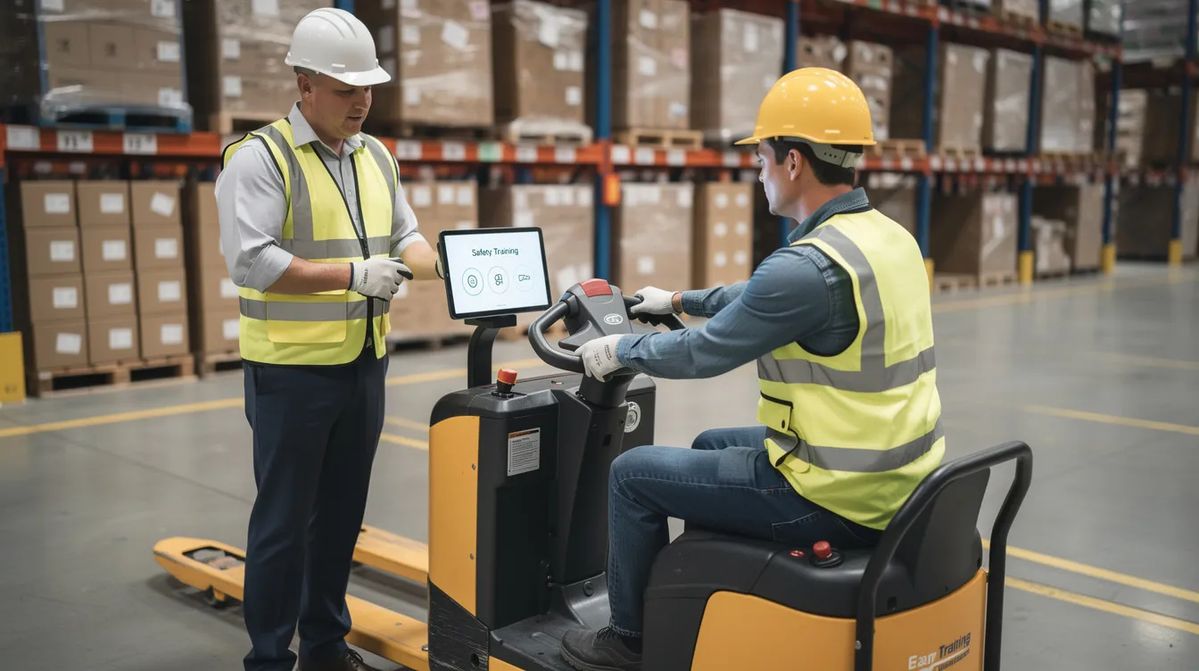
When this training goes undocumented, organizations face serious consequences. Unlogged forklift training in a distribution center, for example, creates liability exposure if an accident occurs. Inconsistent trainer practices lead to variable employee performance. Failed audits result in penalties, operational shutdowns, or lost contracts.
Investors, auditors, and large enterprise customers now frequently request evidence of structured training programs and competency verification during due-diligence processes. They want to see that your workforce is properly trained—and they want documentation to prove it.
Dedicated OJT tracking tools convert informal, ad-hoc coaching into a measurable, improvable process aligned with business KPIs like time-to-productivity, error reduction, and safety incident rates.
Key Benefits of On-the-Job Training Tracking Software
This section summarizes the core business outcomes organizations achieve by implementing employee training tracking software. These benefits speak directly to executives, operations leaders, and anyone responsible for workforce readiness.
Compliance and audit readiness stands out as the most immediate benefit for regulated industries. In food service, healthcare, construction, and similar sectors, inspectors can request proof of job-specific training at any time. Training tracking software can automate the process of monitoring training completion and certification renewals, ensuring that organizations meet all legal and industry-specific training requirements. In regulated industries, training tracker software is invaluable for automating the tracking and documentation of required training, significantly reducing the risk of oversight and ensuring compliance with health and safety regulations.
Faster time-to-productivity directly impacts operational efficiency and labor costs. Consider a field service company that reduced new technician ramp time from 60 days to 35 days by standardizing and tracking ride-along checklists. Instead of guessing when someone is “ready,” supervisors use documented competency verification to determine exactly when a new hire can work independently.
Better quality and fewer errors flows naturally from consistent training. When every employee learns the same procedures the same way—with documented verification—defect rates drop, rework decreases, and customer complaints decline. A 3-site manufacturing firm that standardized line changeover training across all locations saw measurable reductions in production errors simply because training was no longer variable based on which supervisor happened to be available.
Employee engagement and retention improves when people can see their progress and understand their skill development path. Investing in employee development is crucial for both improving performance and retaining talent, as providing learning opportunities is the number one way organizations are working to improve retention. Training tracking software enhances employee performance by enabling continuous learning opportunities, monitoring progress, and tailoring training to individual needs, which boosts morale and productivity.
Data-driven workforce planning becomes possible when you can quickly see which locations or teams are short on certified employees for critical tasks. Before peak season, a hotel manager can identify exactly which front-desk staff still need cross-training on housekeeping procedures and plan accordingly rather than scrambling at the last minute.
Core Features to Look for in On-the-Job Training Tracking Tools
When evaluating training management software vendors, use this checklist to compare options against your current spreadsheet or paper-based process. The right platform should transform how you document and verify hands-on learning.
Role-based OJT checklists and skills matrices form the foundation of effective tracking. Rather than generic templates, the best platforms support configurable checklists for specific roles: a “Line Operator – Beverage Plant” checklist looks completely different from a “Front Desk Agent – Hotel” or “Home Health Aide – 2026 competencies” list. Skill and competency mapping helps ensure employees have mastered key objectives before progressing in their training schedules.
Skills matrices extend beyond simple checklists by mapping who is trained, who is proficient, and who is instructor-qualified on each task. These can be filtered by location, department, shift, or tenure—giving operations leaders immediate visibility into workforce capabilities. Real-time role-based dashboards provide visibility into completion status and can identify training bottlenecks before they become operational problems.
Supervisor sign-offs and e-signatures capture the moment when a trainer confirms competency after observing task performance. Software for on-the-job training should include features like observational checklists for real-time skill verification and automated expiration alerts to ensure ongoing compliance. Timestamps and geolocation options add accountability for high-risk work, preventing retroactive or fraudulent certifications.
Mobile-first access is non-negotiable for frontline training. Trainers and employees need to complete OJT steps, upload photos or videos, and log observations from the job site using iOS and Android devices. Mobile accessibility allows employees to track progress and log tasks via mobile devices, facilitating remote training and on the go learning. Effective OJT tracking software should allow mobile accessibility for deskless workers and include customizable reporting capabilities.
Automation and reminders handle the administrative burden of certification management, probationary check-ins (30/60/90-day reviews), and recurring safety refreshers. OJT tracking software enhances accountability by shifting responsibility for training completion to the employee with automated reminders. This ensures nobody falls through the cracks—especially important for compliance training that must be renewed annually.
Robust reporting and analytics offer dashboards by site, date range, role, and trainer, with export options for audits and leadership reviews. The software provides detailed analytics and reporting capabilities, allowing organizations to monitor training effectiveness and make data-driven adjustments to their training programs. Data-driven decision-making is supported by training tracking software, which generates detailed reports on training effectiveness and employee performance, allowing organizations to identify areas for improvement.
Integrations with HRIS, payroll, scheduling, and LMS platforms prevent double data entry and keep training records synchronized with your employee data. Choosing software that integrates seamlessly with existing systems, such as HR management systems or LMS, can facilitate a streamlined workflow and reduce data duplication.
How On-the-Job Training Tracking Software Works in Real-World Scenarios
The typical workflow follows a consistent pattern: create role-based OJT plans, assign them to new hires or cross-training employees, capture in-the-field completion evidence, and report on progress and compliance. What varies is how this plays out across different operational contexts.
Scenario 1: New hire onboarding in a 3-shift manufacturing plant. A plant manager creates a 30-day OJT plan for machine operators covering equipment operation, safety procedures, quality checks, and line changeover protocols. Each shift supervisor uses tablets on the floor to mark off tasks as the new hire demonstrates competency, adding notes on safety behavior observations. Because the system is centralized, any supervisor on any shift can see exactly what training modules the employee has completed and what remains—eliminating the confusion that happens when paper forms get handed between shifts or lost entirely. Employee training tracking software automates tasks such as grading, compiling statistics, and maintaining training records, streamlining the management of corporate training programs.
Scenario 2: Cross-training hotel staff for peak season. Two weeks before a major holiday weekend, a hotel operations manager needs to ensure front-desk staff can cover housekeeping inspections and housekeeping staff understand basic front-desk procedures. The OJT platform shows exactly who has completed cross-training, who is in progress, and who hasn’t started. The system flags employees still missing key competencies, allowing the manager to prioritize final training sessions or adjust the staffing schedule accordingly rather than discovering gaps when it’s too late.

Scenario 3: Documenting ride-alongs for HVAC field techs. A senior technician uses a mobile app during 5-10 ride-alongs with a new hire to rate skills like diagnostics, customer communication, paperwork accuracy, and safety protocol adherence. Each rating is timestamped and signed. When the trainee demonstrates consistent competency across all required areas, the senior tech signs off on the final checklist, and the system automatically marks the new hire as “dispatch-ready.” No more guessing whether someone completed enough ride-alongs—the record is complete and auditable.
These workflows replace fragmented tools—paper forms, group chats, whiteboards, email chains—with a single source of truth accessible to HR, operations, and compliance teams. Training processes become consistent training processes.
How to Choose the Right OJT Training Platform for Your Organization
Selecting the right training tracking software requires a systematic approach. Start with a clear problem statement: Are you failing audits? Is new hire ramp-up too slow? Are trainer practices inconsistent across locations? Do you have high injury rates among new employees? When choosing training tracking software, organizations should evaluate different platforms based on their size, industry requirements, and specific features to ensure they meet their unique needs.
Evaluation criteria that matter:
| Criteria | Why It Matters | Questions to Ask |
|---|---|---|
| Ease of use for supervisors | Frontline trainers aren’t tech experts | Can a shift supervisor complete a sign-off in under 30 seconds? |
| Mobile performance | Low-connectivity environments are common | Does the app work offline and sync when connected? |
| Reporting depth | Different stakeholders need different views | Can you filter by site, role, trainer, and date range? |
| Total cost of ownership | Hidden costs add up | What’s included in implementation, training, and support? |
Before attending demos, map your must-have use cases. Do you need multi-site support with centralized reporting? Union requirements that mandate specific documentation? Multi language support for a diverse workforce? 24/7 shift coverage? Contractor access? Write these down so you can verify each vendor can actually deliver.
Effective training software should offer robust tracking and reporting capabilities, allowing organizations to monitor employee progress in real time and understand course completion rates. Predictive learning analytics can identify at-risk learners by comparing current engagement patterns against historical data.
Consider piloting with one department or location for 60-90 days. This tests trainer adoption, data quality, and integration with existing HR/LMS tools in a controlled environment before full rollout. Include operations managers, safety officers, and at least one experienced trainer in the selection committee—they’ll catch practical issues that HR alone might miss.
Organizations with heavy compliance burdens (healthcare, aviation maintenance, chemical manufacturing) should prioritize audit trails, role-based permissions, and configurable approval workflows. The ability to prove who trained whom, when, and with what evidence can mean the difference between passing and failing a regulatory inspection.
Why Choose Our On-the-Job Training Tracking Software
Our platform is purpose-built for tracking and proving on-the-job training—not a generic LMS with OJT features bolted on as an afterthought. We designed every feature around the reality of frontline training: supervisors with limited time, workers in low-connectivity environments, and compliance requirements that demand bulletproof documentation.
What sets us apart:
Our seamless mobile experience lets supervisors complete sign-offs, capture photo evidence, and add observation notes in seconds—even with spotty connectivity. High-quality OJT tracking software supports real-world competency verification through observational methods, and our offline capability ensures training documentation never gets lost because of a dead zone in the warehouse or a remote job site.
Configurable OJT templates by role mean you’re not starting from scratch. We offer industry-specific starting points for hospitality, logistics, manufacturing, healthcare, and field services that you can customize to your exact requirements. Integration with popular HR systems ensures employee data flows automatically and training records sync back to your system of record.
Real results from real customers: In 2025, a 5-location logistics company used our OJT tracker to cut new driver ramp time by 30% while passing a DOT audit with zero findings. The combination of standardized training checklists, mobile supervisor sign-offs, and centralized reporting gave them both operational efficiency and regulatory confidence.
Our customer success team helps convert your existing paper forms and spreadsheets into digital OJT checklists during onboarding. Typical rollout takes 4-6 weeks for a 200-employee operation, with larger implementations scaling proportionally based on complexity and number of sites.
Learn more about our on-the-job training tracking software by visiting our product page.
Best Practices for Implementing On-the-Job Training Tracking
Software alone doesn’t transform your training programs. You need clear standards, trainer coaching, and ongoing review routines to realize full value from any training tracking software work investment.
Define measurable OJT outcomes for each role. Vague objectives like “understands safety procedures” are useless for tracking. Instead, define observable competencies: “Can operate press line 3 independently,” “Can complete a guest check-in in under 5 minutes while following ID policies,” or “Can diagnose a refrigeration malfunction and recommend repair steps without supervisor guidance.” These become the checkpoints your trainers verify.
Standardize training content across locations while allowing local variations. Create master OJT checklists that apply company-wide, but permit regional customization for equipment differences or local regulatory requirements. Keep version control so old checklists are archived but auditable—this matters when an inspector asks about training that happened 18 months ago. Collaborative learning platforms allow internal subject matter experts to co-author training content, using AI to identify skill gaps and suggest personalized learning paths.
Train supervisors on how to conduct effective OJT—not just how to use the tool. A digital checklist doesn’t help if the trainer rushes through observations or gives feedback poorly. Invest in train-the-trainer sessions covering how to observe safely, provide constructive feedback, document fairly, and use the platform efficiently. Structured learning paths for trainers themselves improve the quality of training they deliver.

Learning management systems can use AI to personalize development paths based on learner behavior and performance data. This continuous learning approach helps identify where additional coaching is needed.
Establish governance routines. Monthly reviews of OJT completion rates, quality metrics, and incident reports help identify weak spots in training initiatives. If new hires consistently struggle with a particular task or safety incidents cluster around a specific procedure, use that data to refine your OJT plans—add extra practice steps, clarify instructions, or assign more experienced trainers to that area.
Gamification elements can include badges, leaderboards, and certifications to motivate employees during training. These can increase learner engagement and completion rates when integrated thoughtfully.
FAQs About On-the-Job Training Tracking Software
These questions come up frequently when HR, training, and operations leaders evaluate moving away from manual tracking methods.
Yes. Traditional LMS platforms focus on eLearning courses, video content delivery, quizzes, and online assessments—instructor led training in digital format. OJT trackers focus on in-person training, task-based observation, supervisor sign-offs, and evidence capture from real work environments. Many organizations use both: an LMS for delivering training content and online employee training platform needs, and OJT tracking for verifying hands-on competency. Training tracking software helps organizations ensure compliance with industry regulations by automating the tracking and documentation of required training, significantly reducing the risk of oversight.
Yes. Most platforms support CSV uploads for existing training records and guided template-building for converting paper checklists into digital formats. Our customer success team specializes in this migration, typically completing data cleanup and checklist conversion within the first 2-3 weeks of implementation. Employee training tracking software automates the management and monitoring of corporate training programs, streamlining tasks such as grading, compiling statistics, and maintaining training records.
Plan for 3-8 weeks depending on complexity, number of locations, integration requirements, and internal resources. A single-site operation with straightforward training requirements might launch in 3-4 weeks, while a multi-site organization with complex compliance needs and multiple HRIS integrations may take 6-8 weeks. Pilot programs with a single department typically take 2-3 weeks to launch.
Instead of scrambling to locate paper files or reconstruct training history from emails, you can show auditors date-stamped sign-offs, trainer names, and evidence for each regulated task in a centralized system. The ability to generate detailed reports by employee, date range, or training type dramatically reduces audit preparation time and demonstrates systematic compliance.
Many knowledge-work roles still have OJT components—shadowing, live practice sessions, supervised client calls, or observed process execution—that can be logged even when work happens remotely. The key is identifying which tasks require demonstration and verification versus which can be self-studied through training courses.
Modern OJT platforms support master checklists with local customization, role-based access controls, multi-shift workflows, and cross-location reporting. Supervisors on night shift can see and build upon training initiated by day shift supervisors without confusion or lost records.
Visit our on-the-job training tracking software page to explore features, see customer case studies, and request a demo. Training tracking software enhances data-driven decision-making by generating detailed reports on training effectiveness and employee performance, allowing organizations to identify areas for improvement.
Next Steps: Turning Informal Coaching into a Measurable OJT Program
Formalizing and tracking on-the-job training closes risk gaps, speeds up onboarding, and supports a stronger, safer workforce. The organizations that thrive are those that treat OJT as a measurable business process—not as informal coaching that happens (or doesn’t) based on which supervisor is available.
Start by auditing your current process. List every tool you use today: spreadsheets, paper forms, email chains, shared drives, whiteboards. Identify where breakdowns occur: missed sign-offs, lost records, inconsistent training across shifts or locations, inability to prove compliance during audits.
Then identify 2-3 critical roles or processes where better OJT tracking would have the biggest impact in the next 90 days. Consider:
- New warehouse associates before peak season
- Newly promoted supervisors learning management responsibilities
- High-risk equipment operators requiring documented certification
- Cross-training initiatives for workforce flexibility
Ready to see how your current OJT checklists and workflows can be digitized? Explore our on the job training tracking software, schedule a demo, or start a trial to experience how quickly you can transform scattered documentation into a centralized, auditable training system. We’re here to be your long-term partner in building a data-driven on-the-job learning culture.