
On-the-job training tracking software is a specialized system designed to record, verify, and report real-world learning. It documents what hands-on tasks apprentices or interns perform, how many OJT hours they’ve logged, which competencies they’ve mastered, and when supervisors have signed off. Training tracking software automates monitoring and reporting of employee training, moving far beyond simple eLearning modules to capture work that happens on the shop floor, at the clinic, or on the job site.
On-the-job training tracking software documents hands-on training and skills verification in ways that spreadsheets and paper logs simply cannot.
Table of Contents
- Why OJT Training Tracking Matters in 2026
- What Is On-the-Job Training Tracking Software?
- Why Organizations Need OJT Tracking Software Now
- Key Benefits of On-the-Job Training Tracking Software
- Core Features to Look For in OJT Training Tracking Software
- How OJT Tracking Software Works in Real-World Programs
- Choosing the Right On-the-Job Training Tracking Platform
- How GoSprout Supports On-the-Job Training Tracking
- Best Practices for Implementing OJT Tracking Software
- Common Mistakes When Trying to Track Employee Training
- FAQs About On-the-Job Training Tracking Software
- Why Choose GoSprout for On-the-Job Training Tracking
- Next Steps: Turn Your On-the-Job Training into a Measurable System
Why OJT Training Tracking Matters in 2026
The workforce development landscape in 2026 looks nothing like it did five years ago. Active registered apprentices in the U.S. have surged past 680,000-more than doubling since 2014-and federal initiatives are pushing that number toward one million by the end of the decade. At the same time, the Department of Labor and state apprenticeship agencies have tightened audit requirements, shortened approval timelines, and raised documentation standards. For employers managing hybrid or multi-site frontline teams, tracking employee training has become significantly more complex.
This article is for apprenticeship sponsors, employers running work-based learning programs, school districts with career and technical education (CTE) pathways, and workforce boards that need to combine hands-on work, classroom instruction, and regulatory compliance into a single, auditable system. Whether you’re managing employee training tracking for five apprentices or five hundred, the principles here apply.
In this guide, you’ll learn what OJT tracking software is, how it differs from a traditional LMS, key features to evaluate, measurable benefits, how to choose the right platform, where GoSprout fits, and best practices for implementation.
What Is On-the-Job Training Tracking Software?
At its core, OJT tracking software is a system that records, verifies, and reports on real-world skills development-including OJT hours, task completion, competency mastery, and training completion during actual work shifts. It creates an auditable record of what an apprentice or intern can actually do, not just what courses they’ve sat through.
This is where the distinction from a traditional learning management system matters. A learning management system manages course creation and learner progress tracking-it’s built to deliver training courses, quizzes, video modules, and online content. OJT tracking complements that by handling what happens away from the classroom: the doing, observing, coaching, and documenting during real work. OJT tracking software centralizes checklists and skills matrices for training documentation, while an LMS handles course management and training delivery. The best employee training tracking solutions unify both in a single training data layer.
Here’s what OJT tracking software typically captures:
- Tasks performed, mapped to specific job duties and work process schedule items
- Competencies completed or in progress, aligned to occupation standards
- Supervisor or mentor sign-offs with e-signatures, timestamps, and optional evidence uploads
- OJT vs. RTI (Related Technical Instruction) hours, tracked separately for compliance
- Location or worksite information, date, and time of task completion
For registered apprenticeship programs, this tracking is essential. It offers a centralized dashboard to monitor training progress and feeds directly into reporting systems like RAPIDS (Registered Apprenticeship Partners Information Database System), WIPS (Workforce Integrated Performance System), and PIRL (Participant Individual Record Layout)-the systems that USDOL and state agencies use to verify program compliance, OJT hours, and completion outcomes.

Why Organizations Need OJT Tracking Software Now
Between 2024 and 2026, registered apprenticeship programs in the U.S. have expanded into healthcare, education, IT, clean energy, and advanced manufacturing at an unprecedented pace. Education sector apprenticeships alone have grown 433% over the past five years, reaching over 16,500 apprentices. Advanced manufacturing apprenticeships have climbed roughly 20% in five years to approximately 97,500. Federal investments through infrastructure legislation, CHIPS & Science Act projects, and increased state apprenticeship grants are fueling this growth-and with it comes heightened scrutiny.
The concrete pressures driving adoption include:
- Regulatory audits by USDOL and state apprenticeship agencies that require proof of OJT and RTI hours, competency mapping, and supervisor sign-offs-often with tight turnaround times
- Sector-specific standards in industries like healthcare, construction, and manufacturing where safety training and licensing demand meticulous documentation of hands-on competency
- Sponsor reporting obligations across RAPIDS, WIPS, PIRL, and grant-level reports-missing or incomplete records can result in findings, delayed approvals, or loss of funding
- Incomplete OJT records that jeopardize apprentice wage progression, delay program completion, and risk sponsor status with state and federal agencies
Employee training tracking software ensures compliance with industry regulations by creating an unbroken chain of documentation from task assignment through supervisor verification to compliance report. The software maintains detailed training records for compliance purposes, which means sponsors can respond to audit requests in minutes instead of scrambling for days.
Beyond compliance, OJT tracking converts informal coaching into measurable processes. When on-the-job training is documented systematically, organizations can tie it to KPIs: time-to-productivity, safety incidents, customer satisfaction, training completion rates, and employee performance improvements. Training tracking improves employee performance and retention rates because employees who see a clear path forward are more likely to stay.
For small and mid-sized employers, the pain is especially acute. Many still rely on paper hour logs, spreadsheets emailed between supervisors, and inconsistent documentation practices across worksites. The result: lost logs when supervisors leave, batch-signed forms that don’t reflect actual training dates, and gaps that surface only when an auditor arrives. If this sounds familiar, you’ve likely outgrown your current approach.
Key Benefits of On-the-Job Training Tracking Software
The benefits of implementing OJT tracking software cluster around three pillars: compliance, visibility, and improved employee development outcomes. Together, they move organizations from reactive, fragmented systems to proactive, data-driven workflows that support structured training programs at scale.
Compliance and Audit Readiness
Keeping all OJT hours, RTI hours, competency sign-offs, and supervisor verifications in one system transforms audit preparation. Instead of chasing paper forms across three worksites and two email threads, a program lead can pull a complete RAPIDS-aligned report in minutes. This matters for regulatory audits, union reporting, and grant compliance alike. Mandatory training documentation stays current and accessible, not buried in filing cabinets.
Faster Time-to-Productivity and Safer Onboarding
OJT tracking software facilitates faster onboarding for new hires by ensuring critical tasks are mastered in sequence. Consider a maintenance technician apprenticeship where ramp-up traditionally takes nine months. With tracking tools that flag which safety checks and equipment procedures haven’t been completed, mentors can prioritize high-impact tasks and reduce that timeline to six months. New employees get productive faster, and the organization reduces risk by confirming competence before permitting unsupervised work.
Consistent Training Quality Across Locations
Standardized training processes improve quality and reduce inconsistencies. When every site uses the same competency checklists and task lists-managed centrally with version control-mentor variability drops. Whether an apprentice trains in the Phoenix plant or the Detroit facility, they master the same core competencies. This consistency is critical for compliance training, safety training, and any program where outcomes must be uniform.
Stronger Employee Engagement and Retention
When apprentices and interns can see their own training progress via a mobile dashboard-percentage of training completion, competencies unlocked, upcoming requirements-they take ownership of their development. Observable progression, regular feedback, and clarity about what’s required for wage increases or certification fuel employee growth and reduce drop-off rates. Tracking software allows for data-driven, personalized development, tailoring training to where each individual actually needs support.
Data-Driven Workforce Decisions
Data-driven reporting helps analyze training effectiveness across your entire program. Tracking software can identify specific areas where employees struggle, revealing bottlenecks like tasks rarely practiced, RTI hours falling behind schedule, or mentors who are overloaded. Training tracking software enhances data-driven decision-making by giving leaders the insight to allocate resources, adjust curricula, or identify high-failure tasks before they become program-wide problems. Companies can save over 5 hours per week with automated tracking-time that goes back to actual mentoring and program improvement.
Core Features to Look For in OJT Training Tracking Software
Not all training tracking software solutions are designed for hands-on work. Many tools on the market focus on eLearning delivery or basic course management. When evaluating platforms, assess features through a work-based learning lens-specifically, whether the tool can handle the realities of OJT, RTI, regulatory reporting, and multi-stakeholder collaboration.
Here are the must-have feature categories:
Role-based OJT checklists and competency frameworks. Role-based checklists enhance tracking for specific job functions by mapping tasks directly to occupation standards and Work Process Schedules. The system should support industry-specific training requirements and allow configuration per state or employer.
Supervisor sign-offs and audit-ready workflows. Supervisors must verify each task with a timestamp and e-signature. Look for photo or evidence upload capability, clear role permissions distinguishing supervisors from mentors, and a complete audit trail of approvals.
OJT and RTI hour tracking with configurable rules. The platform should distinguish between OJT and RTI hours, enforce configurable minimums (such as 144 RTI hours per year), flag deficits, and align with reporting periods. Training tracking software automates reporting and progress tracking, eliminating manual hour tallying.
Mobile-first access for apprentices, mentors, and supervisors. Mobile access allows employees to complete training anywhere-on the shop floor, at a clinical site, or on a construction scaffold. iOS and Android apps with simple interfaces ensure supervisors actually use the tool rather than resisting it.
Offline capture for field or jobsite work. Some worksites lack reliable internet. The system should collect data offline-task completions, photos, sign-offs-then sync when connectivity returns.
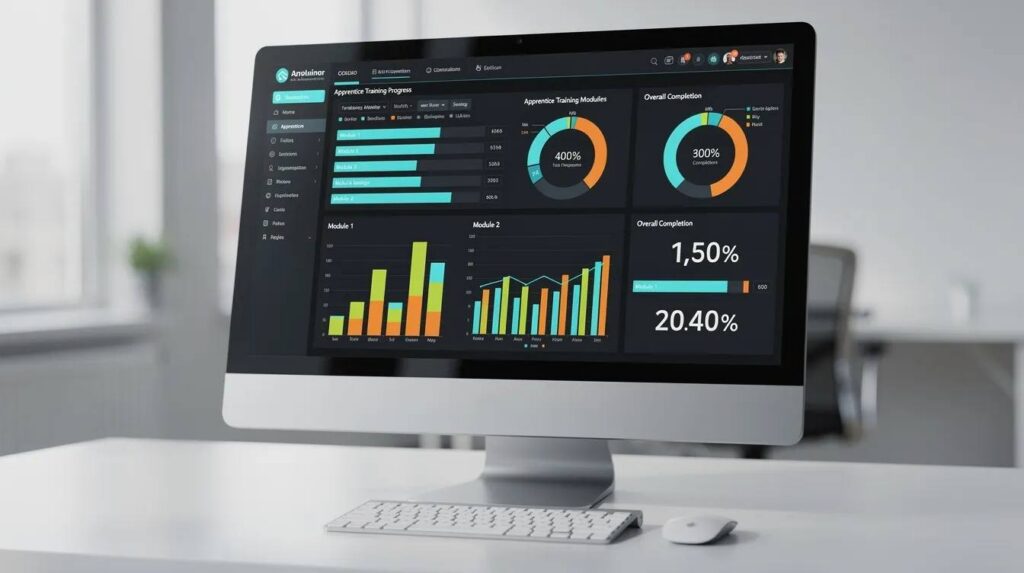
Real-time dashboards and training completion reports. Program leads, sponsors, and employers need to view training completion status, hours behind or ahead, and upcoming requirements at a glance. Customizable reporting features provide insights into training effectiveness across cohorts, roles, and sites.
Integrations with existing LMS, HRIS, SIS, and payroll systems. To avoid duplicate entry, look for import/export capabilities that share RTI course data, employer payroll hours, and certification management data across systems. It supports ongoing certifications and skill development by connecting to credential-tracking tools.
Configurable notifications and reminders. Automated reminders reduce the risk of missed training deadlines by alerting apprentices, supervisors, and sponsors about missing sign-offs, low RTI hours, or expiring credentials. Automated reminders help ensure compliance with training deadlines across your entire program.
Security and permissions. Role-based access ensures apprentices see their own tasks, supervisors see their team, and sponsors see aggregate data. For school district programs, FERPA considerations apply. Data retention policies should be clearly defined.
GoSprout offers OJT and RTI tracking, automated RAPIDS/WIPS/PIRL reporting, and competency management as core features-designed specifically for programs where on-the-job training is the backbone of employee development.
How OJT Tracking Software Works in Real-World Programs
The typical workflow follows a clear sequence: a training sponsor defines the program (occupations, Work Process Schedule competencies, hour requirements for OJT and RTI), assigns roles (apprentices, mentors, RTI providers), and launches. As apprentices perform tasks, they log OJT hours, tag competencies, and upload evidence via mobile or web. Supervisors review and sign off. Dashboards show progress, gaps, and audit readiness in real time.
Here’s how this plays out across four common program types.
Manufacturing Apprenticeship
A maintenance technician apprenticeship defines tasks like machine setup, troubleshooting, safety shutdown procedures, and quality inspection within its Work Process Schedule. Each shift, the apprentice logs completed tasks with date, time, and evidence-a photo of the setup or a note on the procedure followed. The mentor reviews and signs off with an e-signature. The system tracks cumulative OJT hours against requirements and flags competencies that haven’t been practiced. Meanwhile, RTI courses like blueprint reading and electrical theory, provided by a local trade school, have attendance and grades logged in the same system. When a state auditor requests documentation, the sponsor generates a complete report mapping OJT hours, RTI alignment, and competency coverage in under an hour. Insights from tracking software support tailored training programs by showing which tasks apprentices master quickly and where additional mentoring is needed.
Healthcare Internship Program
Apprentices rotate through multiple clinics, tracking patient-facing contact hours, preceptor evaluations, and competencies like infection control, patient communication, and medication administration. The software accepts uploaded signed competency rubrics, supervisor evaluation comments, and timestamped clinical hours. RTI modules-classroom or online-sync into the same record. Reports help sponsors ensure apprentices meet credentialing requirements and can demonstrate readiness for licensure exams. Empirical evaluation of training materials is possible with tracking software, allowing program leads to assess which clinical rotations produce the strongest outcomes.
High School CTE / Pre-Apprenticeship Program
Students work part-time at employer worksites and must complete specific worksite hours, lab hours, and competency alignments with state graduation standards. Students log hours and tasks performed; employers or site supervisors sign off via mobile. Safety training completion is documented. RTI provided at the high school or community college integrates into the same system, ensuring work-based learning hours count properly toward credit, funding, and certification. Training managers can track employee progress across dozens of students and multiple employer sites from a single dashboard.
Construction / Utilities Apprenticeship
Multi-year apprenticeships with extensive fieldwork require tracking tasks like power line installation, safety toolbox talks, certifications (OSHA 10/30), and heavy equipment operation. Apprentices log field tasks via mobile app, including photos and location data. Supervisors verify through field observations with e-signatures. Recurring certifications and expirations are tracked with automated alerts. Reports run quarterly for compliance, wage progression, and audits. The result is a complete training history for each apprentice spanning two to four years, with every task, hour, and sign-off documented and accessible.

Choosing the Right On-the-Job Training Tracking Platform
The right training tracking software depends on your program type, stakeholder complexity, and compliance requirements. An employer running a single internal upskilling initiative faces different decisions than a sponsor managing multi-site registered apprenticeships across three states.
Key decision factors to evaluate:
Type of training program. Registered apprenticeships, internships, CTE programs, and internal upskilling each have different documentation and reporting needs. Only certain platforms fully support compliance for registered apprenticeships, including RAPIDS integration.
Number of stakeholders. Programs involving employers, schools, workforce boards, and unions need role-based views and permissions. Choose software that meets your organization’s specific needs for multi-stakeholder collaboration.
Compliance and reporting needs. Define clear objectives before implementing training tracking software. If you need RAPIDS, WIPS, or PIRL reporting, state-level compliance reports, or grant documentation, your platform must support those formats natively-not as workarounds.
Complexity of roles and training programs. Multi-occupation frameworks with dozens of competencies require more configuration than a single-role program. Assess whether the platform handles complex training scenarios without rebuilding structures each year.
Integration requirements. Integrate training tracking software with existing systems for efficiency. If you already use an LMS for RTI delivery, an HRIS for employee data, or a student information system for school records, your OJT tracker needs to exchange data seamlessly. Training records sync between systems eliminates duplicate entry and reduces errors.
Scalability. Can you add new occupations, sites, and cohorts each year without starting from scratch? Scalability matters as your program grows.
For market context, several platforms serve adjacent needs: ProProfs Training Maker offers a free plan for small teams focused on course delivery. Homebase integrates training tracking with scheduling for hourly teams. TalentLMS starts at $59 per month for training tracking. Connecteam offers a free plan for up to 10 users. iSpring Learn starts at $3.66 per user per month. However, these tools are generally built for course-based training or workforce scheduling-not for the OJT-specific documentation, competency mapping, and federal reporting that registered apprenticeship sponsors require.
The trade-offs between approaches are clear: spreadsheets cost nothing upfront but create massive audit risk and administrative burden. A generic LMS handles training courses and training modules well but lacks OJT task tracking, supervisor sign-offs, and compliance reporting. Specialized work-based learning platforms like GoSprout cost more initially but eliminate the gaps that cause audit failures.
Quick Evaluation Checklist
- Document your current process-where do OJT hours, RTI hours, and supervisor sign-offs live today?
- List must-haves based on regulatory requirements, hour minimums, and competency frameworks
- Identify data sources-where will RTI data come from? Employers? Schools?
- Run a pilot with one occupation or cohort to validate workflows
- Collect feedback and monitor training progress using analytics and reporting tools to measure improvement
How GoSprout Supports On-the-Job Training Tracking
GoSprout is an all-in-one work-based learning management platform built specifically for apprenticeship sponsors, employers, schools, workforce boards, and programs where on-the-job training is the primary development method. It brings OJT tracking, RTI management, compliance reporting, and stakeholder collaboration into a single platform.
OJT and RTI tracking with configurable standards. GoSprout supports different occupations, state apprenticeship guidelines, and federal Work Process Schedule competencies. You define the training objectives, hour requirements, and competency frameworks-the platform enforces them.
Real-time dashboards and automated reporting. RAPIDS, WIPS, and PIRL reporting is automated, reducing manual data work from hours to minutes. Training managers can generate reports that show training completion status, hours logged, and competency coverage across their entire program.
Multi-stakeholder access. Employers, schools, sponsors, and apprentices each get tailored views of training programs and progress. No one is forced into a one-size-fits-all interface-each role sees what they need to manage training courses, track employee certifications, and approve tasks.
Mobile apprentice app. Apprentices log hours, upload evidence (photos, PDFs), and receive mentor feedback directly from the job site. Offline support ensures that field or remote worksites don’t create gaps in documentation. This is where personalized learning paths come to life-apprentices see exactly where they stand and what comes next.
Skill and competency management. Tasks map to industry frameworks and clearly indicate when apprentices are job-ready-meaning all required competencies and hours are complete. This helps organizations identify skill gaps and address them before they become audit findings.
GoSprout also integrates with existing learning management systems, so organizations can keep their eLearning and online employee training platform where it is while adding robust OJT tracking.
Here’s what this looks like in practice: a fictional sponsor, “XYZ Manufacturing,” managed 45 apprentices across two facilities using spreadsheets and email. Monthly compliance reporting consumed roughly 12 hours of administrative time. After moving to GoSprout, that dropped to about 45 minutes. Audit readiness improved dramatically-when the state apprenticeship agency requested full WPS competency and RTI alignment documentation, the sponsor generated the report in under an hour. Future training planning became proactive instead of reactive.
Best Practices for Implementing OJT Tracking Software
Software alone doesn’t fix training programs. Process design, change management, and stakeholder buy-in determine whether your investment delivers results. Here’s a practical playbook for rolling out OJT tracking over 60 to 90 days.
Start with two to three critical roles. Pilot with a manageable number of apprenticeship occupations before scaling. This lets you refine checklists, data fields, and workflows without overwhelming your team or your mentors.
Define clear, observable competencies and OJT outcomes. Each competency should be tied to specific tasks that a supervisor can observe and verify. Align these to industry-recognized standards and employer expectations. For RTI, align course outcomes with what apprentices should apply on the job.
Involve mentors and supervisors early. Train them not just on data entry but on what “competent performance” looks like, how to give useful feedback, and what documentation auditors actually want to see. Mentor resistance is the most common adoption barrier-address it proactively.
Standardize core content with room for local variation. Maintain uniform competency standards across your program but allow site-specific tasks where needed. Use version control so all users know which checklist is current.
Establish governance routines. Monthly review of training data (which apprentices are behind, which competencies are lagging), quarterly audit of records, and annual updates to training programs keep your system accurate and current. Automate reminders for training sessions and certification renewals so nothing falls through the cracks.
Use analytics for continuous improvement. Identify bottlenecks-tasks that many apprentices skip, RTI scheduling gaps, mentor overload. Adjust curricula or resources based on data, not assumptions. Assess training effectiveness regularly, not just at program end.
Communicate the value to every stakeholder. Apprentices need to see how tracking connects to wage progression and credentials. Mentors need to understand that accurate tracking protects sponsors and simplifies their role. Administrators need efficient training processes. Employers want evidence of ROI and employee progress.
A note on data quality: insist on timely entry of OJT logs, enforce clear naming conventions for tasks and evidence, and maintain a single source of truth. Every supplemental spreadsheet or email attachment is a potential gap in your training records.
Common Mistakes When Trying to Track Employee Training
Most organizations begin with spreadsheets and email before recognizing their limits. That’s not a failure-it’s a starting point. The mistake is staying there too long.
Here are the most common pitfalls:
Treating OJT as an informal add-on without measurable outcomes. When there’s no task list and no competency mapping, learning is vague, and skill attainment is inconsistent. Managing training without structure leads to gaps that only surface during audits or when an apprentice can’t perform a critical task unsupervised.
Relying solely on attendance and hours instead of capturing competency evidence. Just because someone logged 100 hours doesn’t mean they can perform the competency. You need supervisor observation, rubrics, and documented proof-not just a time clock.
Using multiple disconnected tools with no single source of truth. Paper logs for OJT, a separate LMS for RTI, an HRIS for employee data, and spreadsheets to reconcile them-this approach guarantees fragmented training records and missing pieces during audits or grant renewals.
Ignoring frontline mentor workload. If the tool is hard to use, requires redundant steps, or forces complex workflows, supervisors will backdate entries or skip tasks entirely. Simplify the process for them, or your training data will be unreliable.
Waiting until an audit or grant renewal to discover gaps. Reactive documentation is the most expensive kind. Missing data and mismatched RTI/OJT hours surfacing two days before an audit deadline means scrambling, not succeeding.
Failing to train stakeholders on interpreting training data. Dashboards are useless if administrators make wrong decisions from them, mentors don’t adjust their approach, or apprentices don’t understand what’s expected. Generate reports regularly and teach your team what to do with them.
Before vs. after: A sponsor using paper logbooks and spreadsheets spent 20+ hours each quarter chasing missing forms, batch-collecting supervisor signatures, and manually compiling OJT hour summaries. After adopting a dedicated employee training tracker, apprentices logged daily with task and competency tags, supervisors signed off in real time via mobile, and weekly dashboards surfaced missing tasks immediately. Audit prep dropped from multiple stressful days to one to two focused hours. The shift wasn’t just about efficiency-it was about accuracy and confidence in their training records.
Image and Video Content Ideas
- Screenshot-style mockup of a training completion dashboard for apprentices. Alt text: “On-the-job training tracking dashboard showing apprentice OJT hours and competencies in GoSprout.”
- Photo of a supervisor and apprentice on a shop floor reviewing a digital checklist on a tablet. Alt text: “Supervisor verifying apprentice on-the-job training tasks using mobile tracking software.”
- Diagram of an OJT workflow from task assignment to audit-ready reports. Alt text: “Workflow diagram for employee training tracking from OJT tasks to compliance reports.”
- Video idea: a three-to-five minute walkthrough showing how a registered apprenticeship sponsor uses GoSprout to create an occupation standard with a Work Process Schedule, assign OJT tasks to an apprentice, log both OJT and RTI hours, and run a RAPIDS-ready report showing competency coverage and hour totals.
FAQs About On-the-Job Training Tracking Software
Here are answers to the most common questions that come up when teams first look for training tracking software solutions.
How is on-the-job training tracking software different from a traditional learning management system?
A traditional LMS focuses on course creation, training delivery, and tracking learner progress through modules, quizzes, and video content. OJT tracking software handles what happens during real work-documenting task completion, capturing supervisor sign-offs, and verifying competency through observation and evidence. The best setups use both: an LMS for RTI and eLearning, and OJT tracking for hands-on work documentation.
Can I track both OJT and classroom/RTI hours in one system?
Yes. Platforms built for work-based learning allow you to log classroom instruction (RTI), link to training providers, upload grades or attendance records, and match those to OJT periods. The system should flag when RTI minimums aren’t met and ensure period alignment-so you’re not surprised during a compliance review. You can manage training courses for both OJT and RTI from a single platform.
How long does it typically take to implement OJT tracking software for an apprenticeship program?
Implementation timelines vary. A small program with one occupation and one employer might launch in four to six weeks. Medium programs with multiple sites and employers typically take eight to twelve weeks, especially when integrations are involved. Larger enterprise programs with many competencies and roles could take several months. The key is starting with a focused pilot before scaling.
Can we import existing training data from spreadsheets or our current LMS?
Most platforms offer import tools or CSV template uploads for existing OJT hour logs, competency records, and RTI data. Mapping historical data to new competency frameworks and standards may require some cleanup, but it’s far better than starting from zero. Maintaining training records from legacy systems ensures continuity for audits and apprentice progression.
What training metrics should we track to know if our OJT program is working?
Focus on cumulative OJT and RTI hours versus standards, percentage of competencies completed per apprentice, safety incident rates, time-to-productivity, retention and completion rates, apprentice satisfaction, and mentor feedback quality. These metrics let you track progress, spot trends, and make continuous learning opportunities available where they’re needed most.
Is GoSprout only for registered apprenticeships, or can we use it for internships and upskilling as well?
GoSprout is designed for apprenticeship sponsors but is flexible enough to support internships, pre-apprenticeships, and internal upskilling programs. Core features like competency tracking, task checklists, supervisor sign-offs, and training schedules work across all these program types. If your program involves on the job training with hands-on components, GoSprout can handle it.
What are RAPIDS, WIPS, and PIRL, and what documentation do they require?
RAPIDS tracks registered apprenticeship program registration, apprentice status, OJT hours reported, and completion outcomes for USDOL. WIPS (Workforce Integrated Performance System) tracks performance metrics under WIOA. PIRL (Participant Individual Record Layout) is the data schema for individual participant reporting. All three require documentation like supervisor sign-offs, RTI attendance, competency mapping, and hour logs-exactly what OJT tracking software is built to produce.
Why Choose GoSprout for On-the-Job Training Tracking
GoSprout is purpose-built for work-based learning-apprenticeships, internships, and training programs where on the job training is the core of employee development. It’s not a generic LMS with OJT features bolted on. It’s a platform designed from the ground up for the realities of tracking training in regulated, hands-on environments.
Deep apprenticeship and workforce development focus. GoSprout provides compliant OJT and RTI tracking with automated RAPIDS, WIPS, and PIRL reporting. These aren’t add-on features-they’re foundational to the platform.
Multi-side design. Employers, schools, sponsors, and apprentices each have role-based dashboards tailored to their responsibilities. No one is forced into a customer service training program interface when they need an apprenticeship management view.
Real-time dashboards. Training program progress, training completion, skill attainment, and compliance status are visible across cohorts, roles, and locations. You can complete specific training reviews and spot gaps before they become problems.
Mobile-first experience. GoSprout’s mobile app gives apprentices and mentors simple, fast workflows to log hours and evidence right where work happens. Offline support means remote job sites don’t create documentation gaps. Training methods that meet people where they work produce better data.
Proven impact. Sponsors using GoSprout have cut monthly compliance reporting time by 70% or more, improved documentation accuracy across sites, and reduced audit findings. These are measurable outcomes, not vague promises.
Dedicated customer success. GoSprout’s support team understands apprenticeship standards, regulatory audits, and state and federal rules. They help digitize existing OJT checklists, training materials, and training programs so sponsors don’t build from scratch. This is a training portal backed by domain expertise, not just software support.
Next Steps: Turn Your On-the-Job Training into a Measurable System
Tracking employee training on the job is no longer optional. It’s the foundation for compliance, funding, and real employee development. The organizations that build measurable OJT systems now will be the ones that scale apprenticeships and training initiatives successfully over the next decade.
Here’s how to start:
- Audit your current OJT tracking process. Where do OJT hours, RTI hours, supervisor sign-offs, and competency data live today? Spreadsheets, paper, LMS exports? Identify the weak links.
- Identify two to three roles or programs where better tracking would have the biggest impact in the next 90 days-whether that’s a manufacturing apprenticeship, a healthcare rotation, or a CTE pre-apprenticeship.
- Define or refine your OJT competencies and hour requirements for those roles. Map Work Process Schedules or industry standards. Decide what tasks require evidence, what training sessions need sign-off, and what RTI minimums apply.
- Shortlist one to three platforms that can track both OJT and RTI-including GoSprout-and schedule demos. Evaluate based on the decision factors outlined above.
- Plan a pilot cohort. Define success metrics: audit readiness, reduced admin time, clearer apprentice progression, and improved training success. Set a 60- to 90-day timeline and assign responsibilities.
Ready to turn your on-the-job training into a system you can measure, audit, and scale? Schedule a GoSprout demo to see OJT tracking dashboards in action, or talk with our team about automating your RAPIDS reporting and improving apprentice outcomes. Your next cohort deserves a system that works as hard as they do.


