Table of Contents
- Introduction: Why Employers Are Investing in Apprenticeship Software Now
- What Is Apprenticeship Software for Employers?
- Key Features Employers Actually Need in Apprenticeship Software
- Benefits of Apprenticeship Software for Employers, Mentors, and Apprentices
- How to Choose the Right Apprenticeship Software for Your Organization
- Implementation Timeline and Best Practices for Employers
- Why Choose Our Apprenticeship Software for Your Employer Programs
- Frequently Asked Questions About Apprenticeship Software for Employers
Introduction: Why Employers Are Investing in Apprenticeship Software Now
If you’re an employer, HR leader, or program sponsor looking to launch or scale apprenticeship programs in 2026 without drowning in compliance paperwork, you’re in the right place. Between 2022 and 2025, U.S. registered apprenticeship participation grew from roughly 400,000 to over 600,000 active apprentices, with sectors like construction, advanced manufacturing, IT, and healthcare leading the charge away from manual tracking.
The pain points are real: tracking 2,000+ OJT hours per apprentice, monitoring 144+ related instruction hours annually, documenting wage progressions, preparing for state or USDOL compliance audits, and coordinating across multiple locations and mentors. Each apprentice typically requires around 10 hours of administrative work for tracking and reporting alone. Effective collaboration tools are essential for aligning the goals of employers, apprentices, and training providers.
Apprenticeship software for employers is a specialized platform that centralizes these functions, replacing spreadsheets and email chains with automated workflows. Employer types that benefit most include: mid-sized manufacturers managing 30–150 apprentices, multi-site healthcare systems, construction firms with union and non-union pathways, and IT companies running hybrid work-based learning. This article shows how modern platforms reduce admin time, keep you audit-ready, and create better experiences for mentors and apprentices alike.

What Is Apprenticeship Software for Employers?
Apprenticeship management software is a specialized workforce development platform that helps HR teams, sponsors, and supervisors design, deliver, and document apprenticeship training programs from recruitment through completion. Unlike generic HRIS or learning management system tools, it connects on-the-job training, related technical instruction, wages, and compliance into a single system built around occupational standards.
Concrete functions include: creating occupation standards, assigning competencies to apprentices, tracking OJT hours daily or weekly, logging classroom or online instruction attendance, capturing mentor sign-offs, and generating reports for state apprenticeship agencies or USDOL. The Department of Labor requires registered apprenticeship programs to maintain accurate records of OJT and RTI to ensure compliance with funding and graduation requirements.
Key insight: Centralized data storage ensures documentation is ready for regulatory reviews and reduces non-compliance risk—something spreadsheets simply cannot guarantee.
While apprenticeship providers, colleges, unions, and regulators may all interact with the software, this article focuses on what employers need to manage programs effectively and maintain compliance without expanding headcount. Employers starting their first program can get a clear picture of the apprenticeship meaning and how GoSprout supports it.
Key Features Employers Actually Need in Apprenticeship Software (2026 View)
Not every feature list matters equally. Here’s what directly reduces admin work and compliance risk:
OJT Hour Tracking: Configure different hour targets per occupation (2,000 for entry-level, 4,000 for multi-year programs). Real-time logging of on-the-job training hours includes automated approval workflows for supervisors, with digital mentor sign-offs creating time-stamped audit trails. Accurate tracking of OJT and related training attendance is critical for successful graduation and funding compliance.
Related Instruction Tracking: Reconcile attendance, grades, and progress from colleges, union schools, or in-house academies against the 144-hour annual baseline. The system automatically flags shortfalls before they become audit issues.
Wage Progression Automation: Systems for wage progression track apprentice progress and alert managers for scheduled pay increases when skill milestones are reached—for example, triggering a 5–10% increase after 1,000 hours, aligned to your wage schedule or CBA.
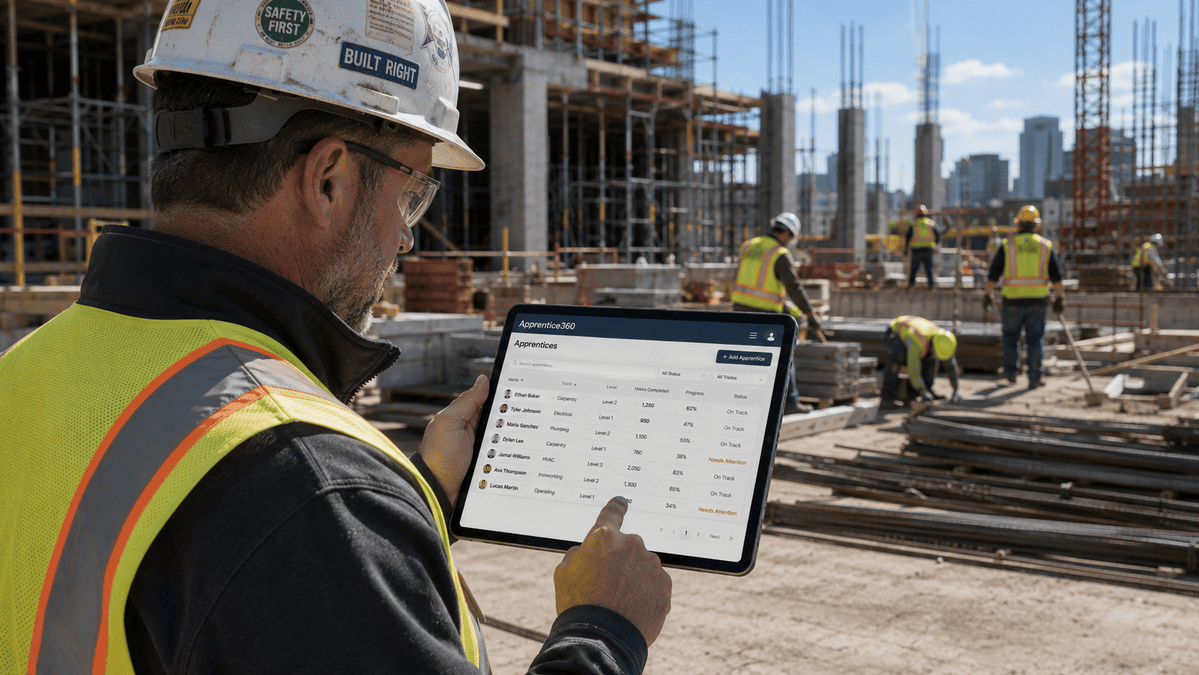
Mentor and Supervisor Portals: Role-based dashboards show assigned apprentices, weekly skill checklists, and one-click sign-offs. Real-time communication features like chat functionalities facilitate immediate engagement between apprentices and their mentors, improving the learning experience.
Apprentice Self-Service: Transparent checklists, schedule access, and evidence uploads (photos, PDFs, videos) linked to specific skills. Apprentices love having a portable record of their progress.
Reporting and Compliance: Pre-built exports for RAPIDS, WIOA, or state requirements. Maintaining accurate training records for every apprentice is essential for regulatory compliance.
Integrations: Connectivity with HRIS/payroll, LMS, SSO, plus SOC 2-type security standards. Integrating various systems significantly enhances efficiency, allowing better learner progress tracking.
Benefits of Apprenticeship Software for Employers, Mentors, and Apprentices
For Employers and HR Teams: Expect 30–60% reduction in manual reporting time. Real-time dashboards can identify at-risk apprentices and provide analytics for demonstrating program ROI to leadership. Automating repetitive tasks reduces administrative burden, allowing staff to focus on higher-value activities like recruiting talent and developing workforce strategy. Standardized workflows enhance scalability, allowing growth from a few to hundreds of apprentices without system complexity issues.
For Mentors and Supervisors: Fewer email chains, a single place to see weekly skill assignments, mobile-friendly sign-off workflows, and visibility into when an apprentice is ready for more complex tasks. They can focus on hands on training rather than paperwork.
For Apprentices and Learners: Clearer expectations via competency checklists, transparent progress views, easy access to schedules and class details, and a place to store certificates that travels with them. Improved feedback loops boost engagement and lower turnover.
Concrete scenario: A regional HVAC company with 40 apprentices uses software to ensure each hits 2,000 OJT hours, 144 classroom hours, and three wage steps annually, while branch managers get at-a-glance readiness views for licensure exams.
Benefits span both operational efficiency (less paperwork) and strategic outcomes (stronger talent pipelines, higher completion rates, lower turnover among skilled workers).
How to Choose the Right Apprenticeship Software for Your Organization
Employers in 2026 evaluate platforms using fit, compliance, usability, and total cost—not just feature count. Here’s a selection checklist:
- Program scale and complexity: Single-site vs. multi-location, number of apprentices and occupations
- Regulatory environment: USDOL-registered vs. informal programs, state requirements
- Industries and occupations: Hours-based, competency-based, or hybrid models
- IT landscape: HRIS/LMS compatibility, SSO needs
- Sponsor functionality: Multi-employer sponsorship, community partnerships
Selection criteria: Support for both hours-based and competency-based programs, pre-built state reports, configurable wage schedules, audit-ready exports. Effective compliance management involves integrating education, training, and employment data to streamline reporting. Applicant tracking systems for apprentices should be tailored to screen for specific aptitudes and manage digital enrollment.
User experience matters: Mentors and apprentices should log hours and review progress on desktop and mobile in under three clicks. HR should generate completion or wage reports in minutes without IT help.
Vendor due diligence: Look for clear 60–120 day implementation timelines, named customer success contacts, mentor training resources, and evidence of use by similar employers since 2020. Compare all-in-one suites versus focused apprenticeship management software that integrates into your existing stack.
Request a sandbox using real examples—upload one 2,000-hour occupation, three wage steps, and 10 apprentices to see if workflows feel natural.
Implementation Timeline and Best Practices for Employers
Most mid-sized employers implement apprenticeship software in 60–120 days with internal alignment and clear standards. Here’s a typical structure:
Weeks 1–2: Discovery and requirements mapping—convert existing spreadsheets and paper forms to digital fields
Weeks 3–6: Configure occupations, hour targets, wage schedules; import current apprentices
Weeks 7–8: Pilot with a small cohort to test workflows
Weeks 9–12: Full rollout with mentor training and reporting setup
Apprenticeship management software streamlines the coordination of training scheduling, compliance documentation, and reporting. Integrating administrative functions into a single platform helps maintain compliance while improving management of the process.
Common pitfalls: Underestimating time to standardize competency lists across sites, not involving frontline supervisors early, or going live without clear expectations on logging frequency (daily vs. weekly).
Change management tactics: Host 30–45 minute virtual sessions for mentors, create 1-page how-to guides for apprentices, set a specific go-live date. Plan a mock audit 2–3 months post-launch to verify data quality.
Implementation modernizes how your organization develops and documents skills at scale—not just software adoption.

Why Choose Our Apprenticeship Software for Your Employer Programs
We built our platform specifically for employers and sponsors running registered and non-registered apprenticeships across multiple locations, working with early adopters from 2020 through 2024. Our software manages the entire apprenticeship training lifecycle, including onboarding, tracking hours, organizing training sessions, and documenting outcomes for regulatory reporting. Employers sponsoring a DOL-registered program can go further with registered apprenticeship management software that handles registration and reporting.
What sets us apart:
| Differentiator | How It Helps |
|---|---|
| Employer-first design | Built for HR teams, not generic training needs |
| Deep compliance support | Hours, RTI, wage schedules aligned to USDOL/state templates |
| Role-based portals | Mentors, apprentices, instructors each see what they need |
| Integrated evidence bank | Photos, PDFs, videos linked to skills for audits |
| Audit-ready reports | RAPIDS, WIOA, state exports in minutes |
Example: A 600-employee precision manufacturing company in the Midwest uses our platform to manage 85 apprentices across three shifts, with automatic alerts when apprentices approach 2,000 OJT hours and wage review dates. The software reduces administrative burden by automating tasks like scheduling, tracking attendance, and managing compliance documentation.
We support different stakeholders: HR coordinators, apprenticeship managers, plant supervisors, and finance teams needing accurate wage and funding data. Programs must be prepared for DOL site visits by having documentation readily available—we make that simple.
Want to Learn More About Your Registered Apprenticeship Opportunities?
BOOK A FREE CONSULTATION
We provide onboarding consulting to convert existing standards and wage schedules into digital templates, plus mentor training for mobile sign-offs. Book a demo with your program details—bring your apprentice count, occupations, and target launch dates for a tailored walkthrough.
Our goal: help you graduate more skilled workers, stay audit-ready year-round, and free HR from data entry so they can focus on talent strategy.
Frequently Asked Questions About Apprenticeship Software for Employers
Software becomes valuable when you run multiple occupations, operate across locations, or participate in registered apprenticeship programs subject to audits. Even small programs benefit from audit-proofing and time savings over spreadsheets.
Standardized tracking of OJT, RTI, and wage progression simplifies audits and ongoing reporting. Maintaining accurate training records is essential for regulatory compliance and successful learner outcomes.
Modern systems support both models and hybrids requiring minimum hours plus competency mastery—essential for different types of occupations and industry requirements.
Typically 60–120 days. Factors that speed implementation: prepared standards, minimal integration complexity, and early supervisor involvement. Rushed timelines without clear go-live targets extend timelines.
Expect role-based access, encryption, and SOC 2-type alignment. Clear data retention settings protect apprentice information while meeting compliance needs.
Mobile-responsive design or dedicated apps are essential, especially for field-based companies in construction, utilities, and healthcare where job seekers and apprentices work away from desks.
Pricing varies by scale—per apprentice, per program, or tiered subscriptions. Contact us for a quote tailored to your apprentice count, sites, and program complexity. We work with businesses of all sizes to find the right partners for their workforce development programs.