Table of Contents
- When “Sprouts Employee App” Isn’t Quite What You’re Looking For
- The Fragmented Employee App Landscape: Why Generic Tools Create More Problems Than They Solve
- The Apprenticeship and Internship Problem That Generic Apps Were Never Built to Solve
- What a Purpose-Built Apprenticeship Management Platform Actually Delivers
- Key Features HR Managers and Business Owners Should Demand from a Workforce App
- How GoSprout Centralizes the Full Apprenticeship Lifecycle in One Platform
- Making the Switch: How to Evaluate and Transition to a Dedicated Management Platform
- Conclusion: From Search Intent to the Right Solution
- Frequently Asked Questions
When “Sprouts Employee App” Isn’t Quite What You’re Looking For
Understanding the Search Behind the Search
Searching for a “sprouts employee app” typically leads to one of two places: a retailer’s internal employee portal, or a collection of HR integration tools that serve entirely different functions. Neither addresses what most people typing that phrase actually need. The search itself is a symptom, a shorthand for a much more specific frustration with how workforce and program management currently works, or more accurately, how it doesn’t.
Who Actually Lands on This Page, and Why It Matters
The people who find this page are rarely Sprouts Farmers Market employees looking to check a payslip. More often, they are HR managers at growing businesses, small business owners running internship or apprenticeship programs, or operations leads who have typed variations of “employee app” into a search bar because they need a single system that handles onboarding, compliance, scheduling, and program tracking. They don’t yet have the vocabulary for what that system is called.
That distinction matters. If you are in this group, the right solution isn’t an app that surfaces employee discounts or connects to payroll via SSO. It’s a platform built around program lifecycle management from day one.
The Real Question Underneath the Query
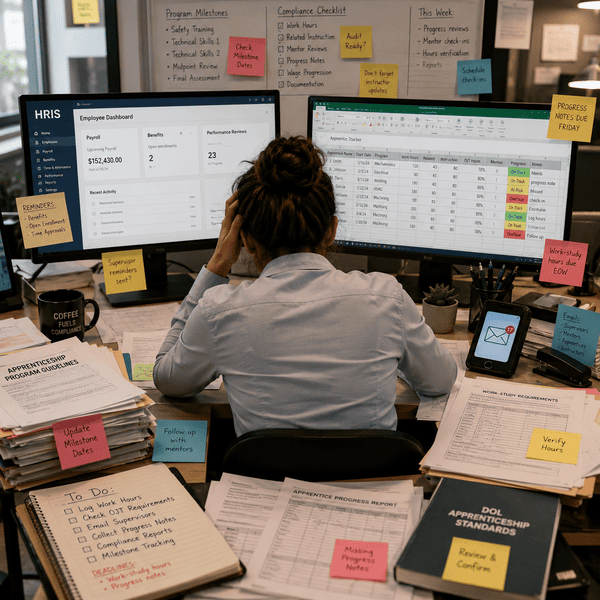
Strip away the branded terminology and the real question becomes clear: how do I manage employees, apprentices, or interns in one place without stitching together half a dozen disconnected tools? The friction people feel, including missed compliance checkpoints, onboarding documents scattered across email threads, and progress tracking done manually in spreadsheets, is the actual problem. The search for an employee management app is simply the first attempt at naming it.
Why the Confusion Between Branded Employee Apps and Workforce Platforms Is So Common
Employee apps built for large retail or enterprise environments are designed for a different job. They connect workers to benefits, time management, on-demand pay tools, and scheduling systems through integrations like Okta SSO or workforce logistics platforms. These tools perform well in that context. The confusion arises when smaller organizations or program administrators assume a similar app will solve their operational problems, only to discover that convenience features and operational infrastructure are not the same thing.
The Fragmented Employee App Landscape: Why Generic Tools Create More Problems Than They Solve
Generic employee apps were designed to reduce friction for individual workers accessing HR services, not to give program administrators control over the full employment or training lifecycle.
What Generic Employee Apps Are Actually Built to Do
Convenience Features Versus Operational Infrastructure
Most generic employee apps focus on the worker-facing experience: viewing payslips, requesting time off, checking schedules, or accessing financial tools like earned wage access. These are genuine conveniences, and workers value them. The problem is that convenience features and operational infrastructure serve completely different audiences. One serves the employee looking up their next shift. The other serves the HR manager trying to verify that every apprentice in a six-month program has completed the required compliance modules before advancing.
Why Payslip Access, Scheduling, and SSO Login Are Not Enough
An app that handles payslip access, scheduling integration, and SSO login is doing exactly what it was designed to do. It was not designed to track onboarding completion, flag compliance gaps, manage program milestones, or give administrators a real-time view of where each intern or apprentice stands. Expecting it to do so creates gaps that get filled with manual workarounds, and manual workarounds are where compliance risk lives.
How Dispersed Tools Break Down in Practice
The real cost of fragmented systems isn’t any single failure. It’s the accumulated drag of cross-referencing information across platforms, re-entering data that should move automatically, and chasing down documentation that lives in someone’s inbox rather than a shared system. When payroll sits in one platform, compliance tracking in a second, and onboarding in a third, the HR manager becomes the integration layer, manually connecting dots that a unified workforce management platform would connect automatically.
What Features Should an Employee Management App Have for Compliance and Onboarding Tracking?
A workforce platform built for compliance and onboarding needs to do more than store documents. It should provide structured onboarding workflows with checkpoints, track completion status at the individual and cohort level, generate audit-ready records without manual exports, and surface outstanding items before they become violations. For any organization running a regulated apprenticeship or structured internship program, these are baseline requirements, not optional enhancements.
How Small Businesses End Up Managing Five Systems Instead of One
Small businesses rarely set out to build a fragmented tech stack. It happens incrementally: a free scheduling tool here, a shared Google Drive folder there, a payroll platform that came with the accountant’s recommendation, and an email-based onboarding checklist that someone built three years ago. Each addition solved an immediate problem without addressing the structural one. By the time the program scales or compliance requirements tighten, the organization is managing five systems where one would do.
Quick-Reference Guide: Five Signs Your Current Employee App Setup Is Costing You Time A Diagnostic Checklist for HR Managers and Small Business Owners
1. You cross-reference more than one platform to answer a single question about an employee or apprentice. If confirming someone’s onboarding status requires checking an email thread, a spreadsheet, and a separate HR tool, you’re managing an integration problem, not a people problem.
2. Compliance documentation lives in more than one place. Auditable records scattered across shared drives, inboxes, and offline files create risk. If you can’t pull a complete compliance history in under five minutes, the system is working against you.
3. Onboarding looks different for every new hire. When the process depends on who’s running it rather than a structured workflow, quality and completeness vary. Inconsistency is a compliance liability.
4. You spend time each week manually updating a tracking spreadsheet. Spreadsheets are not program management systems. If status updates require manual entry, the process doesn’t scale and errors are inevitable.
5. New administrators have to be walked through the process every time. A system that lives in someone’s head or email history is not a system. If onboarding your onboarding process takes hours, the infrastructure isn’t built to last.
The Apprenticeship and Internship Problem That Generic Apps Were Never Built to Solve
Why Apprenticeship Programs Demand a Different Category of Tool
Apprenticeship and internship programs are not employment in the conventional sense. They are structured developmental programs with defined entry points, milestone-based progression, compliance obligations, and a completion state, more akin to a project with a lifecycle than a recurring employment arrangement. Generic employee apps were built around the steady-state employment model: someone is hired, they access their payslips, they check their schedule. The assumption built into those tools is continuity. Apprenticeship programs are, by design, temporary, structured, and regulated, and that distinction demands infrastructure that most employee apps simply don’t have.
The Full Apprenticeship Lifecycle: Sourcing, Onboarding, Tracking, and Compliance
A managed apprenticeship program moves through four distinct phases: sourcing qualified candidates, onboarding them into the program, tracking their progress against defined milestones, and maintaining the compliance records that demonstrate the program meets its obligations. Each phase generates data, requires action, and feeds into the next. Generic tools treat these phases as separate events rather than a connected sequence, and that structural gap is where administrative burden accumulates.
Why Each Stage Breaks Down Without a Unified System
When sourcing happens in one place and onboarding in another, candidate information gets re-entered manually, creating errors and delays before the program even starts. Onboarding documents collected in a shared drive don’t connect to the tracking system, so administrators update status elsewhere by hand. Progress milestones recorded in a spreadsheet don’t trigger compliance flags automatically. By the time a program reaches its final compliance review, the administrator is reconstructing a paper trail rather than producing one.
The Hidden Admin Burden of Managing Entry-Level Programs Across Disconnected Platforms
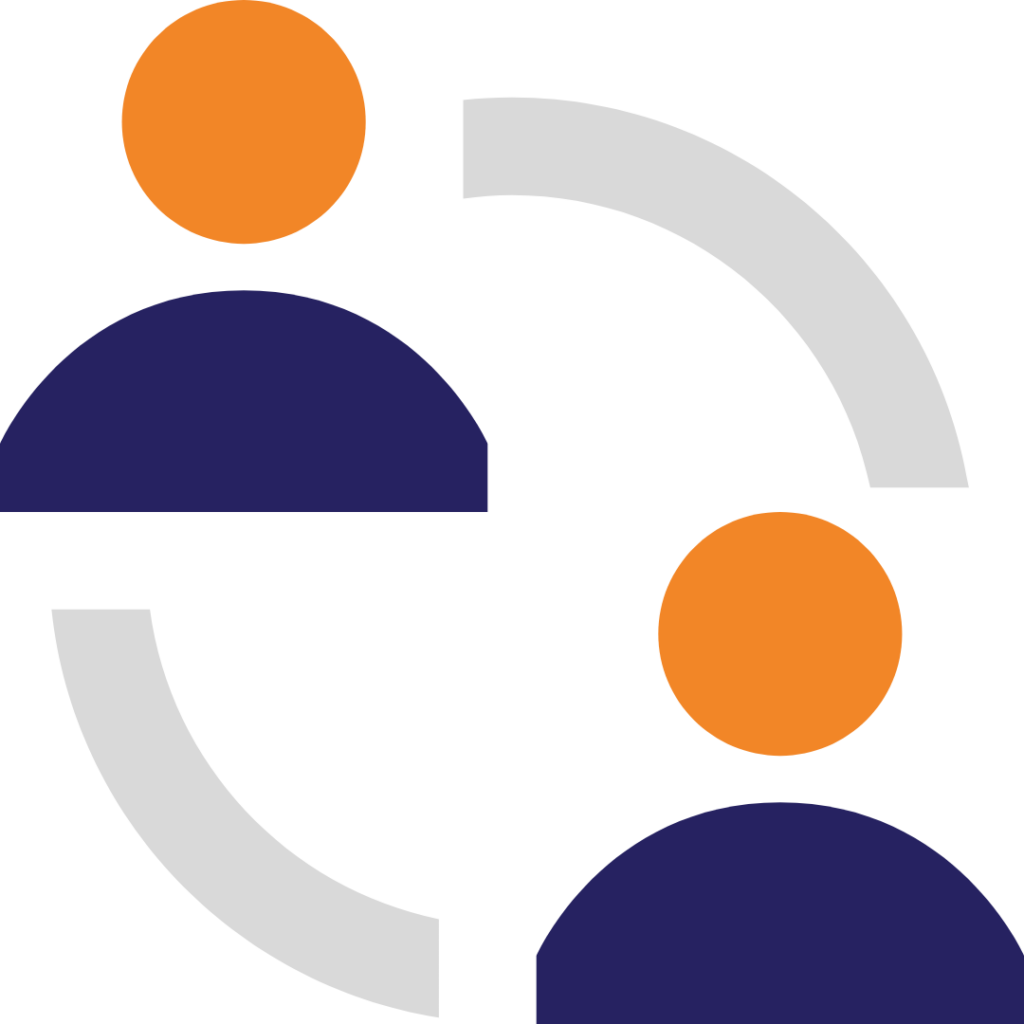
The hours spent managing this coordination rarely appear in any budget line. They show up as late afternoons spent cross-referencing spreadsheets, recurring check-in emails asking apprentices to resubmit documents, and compliance reviews that take days instead of minutes. A small business running even one cohort of four to six apprentices can absorb a significant volume of avoidable administrative work each month from disconnected platforms alone.
How Disorganized Onboarding Directly Undermines Program Outcomes
Poor onboarding does more than create paperwork problems. When an apprentice’s first experience with a program is a scattered collection of emails, incomplete instructions, and follow-up requests for missing documents, it signals organizational dysfunction before the work has even begun. Program attrition often starts here. Apprentices who feel poorly oriented in the first two weeks are more likely to disengage, and that disengagement costs the business both the investment in recruitment and the operational capacity the apprentice was hired to build.
What Is the Best Platform for Managing Interns and Apprentices?
The most effective platform for managing interns and apprentices is one designed explicitly around program lifecycle management, not general employment convenience. The right apprenticeship tracking software tracks candidates from application through to program completion, structures onboarding as a workflow rather than a document deposit, and keeps compliance status visible in real time. It should serve both the administrator managing the program and the apprentice moving through it. A generic sprouts employee app or standard HR mobile tool may handle payslip access or scheduling, but it won’t do any of this.
How Can Small Businesses Reduce Admin Burden from Managing Multiple Employee Systems?
Consolidation is the direct answer, but the path to it matters. Small businesses reduce admin burden by identifying the one platform that covers the full program lifecycle and migrating away from the tools that each handle only a fragment of it. The goal is not to add another system. It’s to replace four or five incomplete ones with a single source of truth that moves information automatically across sourcing, onboarding, tracking, and compliance without requiring a human to act as the connector.
What a Purpose-Built Apprenticeship Management Platform Actually Delivers
Centralized Program Administration: One System for the Entire Hire-to-Complete Journey
A purpose-built platform treats the full program lifecycle as a single administrative object. Candidate records created during sourcing carry forward into onboarding without re-entry. Completed onboarding steps update compliance status automatically. Milestone completions generate records that are accessible for review without manual exports. This is not a feature list. It’s a structural difference. The system’s architecture assumes continuity, which means administrators spend time managing programs rather than managing the tools that are supposed to manage programs.
Compliance Tracking Built Into the Workflow, Not Bolted On Afterward
When compliance tracking is added as a layer on top of an existing workflow, it becomes something people do when they remember to. When it’s built into the workflow itself, it becomes something the system does automatically. A purpose-built platform embeds compliance checkpoints at the moments where they matter: before an apprentice advances to the next phase, before a program period closes, before a milestone is marked complete. Compliance stops being a reporting exercise and becomes a real-time operational status.
Onboarding That Scales Without Adding Administrative Headcount
Structured onboarding workflows allow a single administrator to run a cohort of twenty apprentices with the same effort it takes to run a cohort of five. Each apprentice moves through the same defined sequence, completion is tracked automatically, and outstanding items surface on the administrator’s dashboard rather than in their inbox. Scaling the program doesn’t require scaling the team that manages it.
How Streamlined Onboarding Eliminates the Need for Multiple Disconnected Apps
When onboarding lives inside the same platform as compliance tracking, progress management, and program administration, there is no reason to export a completed form into a separate system, no reason to notify a different platform that a new hire has been onboarded, and no reason to maintain a parallel spreadsheet that tracks what the system should already know. Each disconnected app in a fragmented stack exists to fill a gap. A unified platform eliminates the gaps.
Is There a Centralized Platform That Combines Employee Access, Compliance, and Program Tracking?
Yes, and the defining characteristic of those platforms is that they were built with the employer and the participant in mind simultaneously. The administrator needs visibility across the cohort. The apprentice needs clear, accessible instructions for what they need to complete and by when. A centralized workforce management platform for HR managers serves both without requiring the administrator to manage a separate communication channel or the apprentice to navigate a separate portal.
The Dual-Sided Design Advantage: Why Platforms Built for Both Employer and Apprentice Outperform Single-Sided Tools
A platform designed only for administrators creates a documentation system. A platform designed only for participants creates an experience with no operational backbone. The platforms that work in practice are dual-sided: they give administrators the oversight and control they need while giving apprentices an interface that makes completion straightforward. When both sides are served by the same system, the data generated by the apprentice’s activity is the same data the administrator sees in real time, with no manual transfer required between the two.
Key Features HR Managers and Business Owners Should Demand from a Workforce App
Candidate and Intern Pipeline Management
A platform worth adopting should allow administrators to track candidates from initial application through to program enrollment in a single view. That means candidate status, communication history, and onboarding readiness are all accessible without switching tools. When sourcing and onboarding are connected, nothing falls through the gap between them.
Structured Onboarding Workflows with Compliance Checkpoints
Onboarding should be a defined sequence, not a checklist that varies by administrator. Look for configurable workflows that enforce completion order where compliance requires it, flag incomplete items automatically, and produce a verifiable record of what was completed and when.
Progress and Milestone Tracking Across the Program Lifecycle
The platform should track each participant’s advancement through the program against defined milestones, not just their onboarding completion. Progress tracking should be visible at the individual and cohort level so administrators can identify delays early rather than discovering them at the end of a program period.
Role-Based Access and Multi-Platform Availability
Different users within the same program require different levels of access, and the platform should reflect that clearly.
- Administrators need full visibility and edit access across all program records.
- Apprentices and interns need access to their own tasks, documents, and progress status.
- Supervisors or managers may need read access to progress data without administrative control.
The platform should support distinct permission levels and be accessible on both desktop and mobile so participants can complete required tasks without friction.
Security and Compliance Requirements for Employee Apps
Any platform handling personal employment data and regulated program records must meet baseline data security standards: role-based access control, encrypted data storage and transmission, and audit logging that records who accessed or modified a record and when. For regulated apprenticeship programs, the ability to produce complete, time-stamped compliance records on demand is a non-negotiable requirement.
Reporting Visibility That Keeps Program Administrators in Control
Reporting should surface program health in real time, not through a monthly export. Administrators need to see at a glance which participants are behind on milestones, which compliance requirements are approaching a deadline, and which cohorts are on track to complete. Dashboards that require manual data entry to stay current defeat the purpose of the platform.
How GoSprout Centralizes the Full Apprenticeship Lifecycle in One Platform
From Candidate Sourcing to Program Completion: The GoSprout Workflow
GoSprout is built around a single premise: every stage of an apprenticeship program should live in one place, and data should move forward automatically rather than being re-entered by hand. A candidate sourced through GoSprout becomes an onboarding record without any duplicate entry. That onboarding record feeds directly into compliance tracking. Compliance status updates as the apprentice completes required steps, and milestone progress is visible to administrators in real time throughout the program.
The workflow isn’t a feature set layered onto a general HR tool. It’s the structural logic of the platform itself.
How GoSprout Addresses the Specific Friction Points of Manual Apprenticeship Management
The friction points documented earlier in this article, including scattered onboarding documents, manual compliance updates, progress tracking in spreadsheets, and administrators acting as the connector between disconnected tools, are not incidental problems. They are the direct result of using infrastructure that wasn’t designed for this job.
GoSprout addresses each one at the source.
- Onboarding is a structured workflow with defined steps and automatic completion tracking, not a document collection process.
- Compliance checkpoints are embedded at transition points in the program, so nothing advances without required items being complete.
- Progress against milestones is tracked at both the individual and cohort level, surfaced on the administrator dashboard without manual input.
- The apprentice-facing interface gives participants a clear view of what they need to complete and by when, which reduces the follow-up burden on administrators significantly.
Putting the Framework into Practice: An Illustrative Scenario for a Small Business HR Manager
Consider an HR manager at a manufacturing business running a cohort of six apprentices across a twelve-month program. Before GoSprout, that manager spent Monday mornings cross-referencing a payroll platform, a shared drive of onboarding documents, and a spreadsheet tracking milestone completions. Compliance preparation before each quarterly review took the better part of a day.
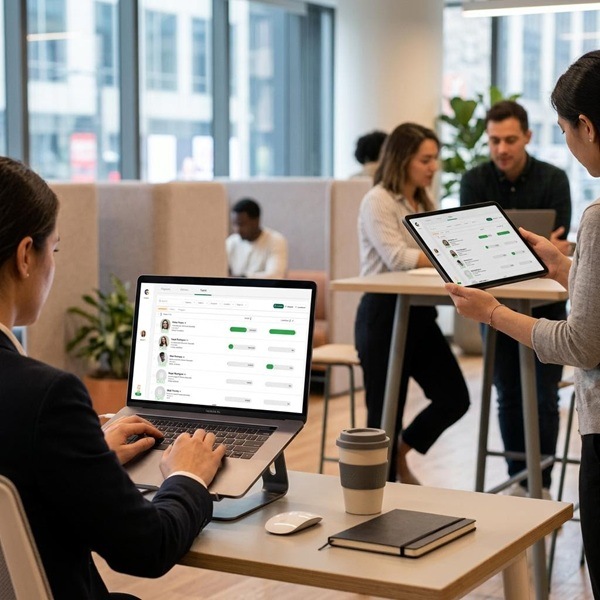
With GoSprout, the same manager opens a single dashboard that shows each apprentice’s onboarding status, current milestone, and any outstanding compliance items. When an apprentice completes a required training module, the record updates automatically. When a compliance deadline approaches, the platform surfaces it before it becomes a problem. The quarterly review pulls from records the system has been building continuously, not from documents the manager assembled the week before.
The program didn’t change. The administrative infrastructure supporting it did.
How GoSprout’s Architecture Differs from Patched-Together Employee App Ecosystems
A patched-together stack, with payroll in one system, onboarding in another, a scheduling tool, a shared drive, and a spreadsheet, creates what looks like coverage but functions as a series of gaps. Each tool handles its designated task and stops. The administrator fills the space between tools manually.
GoSprout’s architecture eliminates those gaps by treating the apprenticeship lifecycle as a continuous object rather than a set of discrete functions. There is no handoff between a sourcing module and an onboarding module because they are the same system. There is no export step before a compliance review because the records are already structured and accessible. The difference between GoSprout and a generic sprouts employee app or fragmented tool set isn’t a longer feature list. It’s a fundamentally different assumption about what the platform is for.
Making the Switch: How to Evaluate and Transition to a Dedicated Management Platform
How to Migrate from Fragmented Employee Tools to a Unified System
Migration from fragmented tools doesn’t require a full organizational overhaul. The practical path is to identify the current system of record for each function, including onboarding, compliance, progress tracking, and candidate management, and map which of those functions the new platform will absorb. Most organizations find that the migration itself surfaces how much duplicate data they were maintaining across tools, which reinforces the decision rather than complicating it.
Start with active programs. Move historical records in parallel, not as a prerequisite.
The Evaluation Framework: Questions to Ask Before Committing to Any Workforce Platform
Operational Fit: Does It Cover the Full Lifecycle?
Ask specifically whether the platform handles sourcing, onboarding, milestone tracking, and compliance reporting as connected functions or as separate modules that still require manual coordination. A platform that covers three of the four stages still requires a workaround for the fourth.
Compliance Readiness: Is Tracking Built In or Added On?
Compliance tracking added as a reporting layer means someone still has to populate it. Ask to see how compliance status updates when an apprentice completes a step. If the answer involves an export or a manual entry, the tracking is not genuinely built in.
Scalability: Will It Grow With Your Program?
A platform that works for one cohort of five should be able to run three cohorts of fifteen without requiring additional administrative staff. Test this by asking how the platform handles multiple simultaneous cohorts with different program structures or timelines.
Common Transition Concerns, and How to Address Them Practically
The most common concern is data loss during migration. Address this by exporting complete records from existing tools before deactivating them, and running both systems in parallel for the first active cohort on the new platform. The second concern is user adoption among apprentices. A well-designed participant interface reduces this to an onboarding communication task, not a training burden.
How to Build Internal Buy-In for a Platform Consolidation Decision
Quantify the current cost before making the case for change. Document the hours spent each month on cross-platform coordination, manual compliance updates, and onboarding follow-up. Present the platform consolidation not as a technology investment but as an operational efficiency decision with a calculable return. Decision-makers who resist new tools rarely resist reclaiming administrative time.
Further Reading: Apprenticeship Program Management, Workforce Compliance, and Entry-Level Hiring
- Structuring a compliant apprenticeship program: key documentation requirements and record-keeping standards
- Onboarding best practices for entry-level and early-career programs
- How to build a repeatable intern pipeline from sourcing to program completion
- Workforce compliance fundamentals for small businesses managing regulated training programs
- Evaluating HR technology: a framework for assessing platform fit before committing
Conclusion: From Search Intent to the Right Solution
Recapping the Core Problem: Why the Symptom Points to a Deeper Operational Need
A search for a sprouts employee app is a reasonable first step taken by someone who knows they need a system and hasn’t yet found the right vocabulary for it. The underlying need is consistent: one platform that manages the full lifecycle of an apprenticeship or internship program without requiring the HR manager to act as the integration layer between tools that don’t communicate with each other.
Generic employee apps were not designed for this. They were designed to give workers access to their own employment data. That is a different job, served by a different category of tool.
The Logical Case for a Purpose-Built Platform Over a Generic Employee App
The argument for a purpose-built apprenticeship management platform doesn’t rest on feature counts. It rests on architecture. A platform built around the apprenticeship lifecycle treats every stage, including sourcing, onboarding, tracking, and compliance, as part of a single continuous process. A generic employee app treats each stage as a separate problem to be solved by a separate tool. The administrative burden, compliance risk, and program quality gaps that HR managers experience are the predictable outputs of that second model.
Your Next Step: Exploring GoSprout as Your Centralized Apprenticeship Management Solution
If the operational problems described throughout this article reflect what your program currently looks like, the next step is a direct one. Review what GoSprout covers against the lifecycle stages where your current setup creates friction. The evaluation framework in the previous section gives you the right questions to ask. GoSprout is built to answer them.
Want to Learn More About Your Registered Apprenticeship Opportunities?
BOOK A FREE CONSULTATION
Frequently Asked Questions
The most effective platform for managing interns and apprentices is one built specifically around program lifecycle management rather than general employment convenience. It should connect candidate sourcing, structured onboarding, milestone tracking, and compliance reporting in a single system. GoSprout is designed precisely for this purpose, treating the full apprenticeship or internship lifecycle as a continuous administrative process rather than a series of disconnected tasks.
Streamlining onboarding begins with consolidating it into a platform where onboarding workflows are connected to compliance tracking and progress management. When these functions live in separate tools, administrators spend time manually transferring information between systems, which introduces errors and delays. A purpose-built workforce management platform structures onboarding as a defined sequence, tracks completion automatically, and feeds that data directly into the broader program record.
The most direct path to reducing admin burden is consolidation. Small businesses managing interns or apprentices across separate payroll, onboarding, and compliance tools can reclaim significant administrative time by migrating to a single platform that covers the full program lifecycle. The goal is to eliminate the manual coordination work that accumulates when each system handles only one part of the process and requires a human to connect the rest.
Begin by mapping your current systems against the functions they serve: candidate management, onboarding, compliance tracking, and milestone progress. Identify which of those functions a unified platform will absorb, then export complete records from existing tools before deactivating them. Run both systems in parallel during the first active cohort on the new platform to validate the migration and ensure no data is lost. Most organizations find the process surfaces significant duplication in their existing data, reinforcing the case for consolidation.
Any platform handling personal employment data and regulated program records should meet a defined set of security standards. These include role-based access control so users only see what their role requires, encrypted data storage and transmission, and audit logging that records who accessed or modified a record and when. For organizations running regulated apprenticeship programs, the platform must also be capable of producing complete, time-stamped compliance records on demand without requiring manual assembly prior to a review.
Yes. Platforms purpose-built for apprenticeship and internship management, such as GoSprout, provide a centralized environment where administrators manage the full program lifecycle and participants access their own tasks and progress status within the same system. This dual-sided design means the data an apprentice generates by completing a required step is the same data the administrator sees updated in real time, with no manual transfer or export required between the two.


