Table of Contents
- Why Apprenticeship Progress Tracking Breaks So Easily
- Why Spreadsheets and Email Threads Are Not an Apprenticeship Progress System
- The Hidden Cost of Manual Tracking: Talent Attrition, Compliance Risk, and Scale Limits
- What a Purpose-Built Apprenticeship Management Platform Actually Does
- Core Elements of Effective Apprentice Progress Tracking
- Milestone Mapping and Competency Sign-Off Workflows
- Structured Feedback Cadences vs. Ad Hoc Check-Ins
- Compliance Documentation, OJT Hours, and Audit-Ready Records
- Dashboards and Progress Reporting: Turning Activity Into Insight
- Cohort and Program Management Across Multiple Sites and Occupations
- Key Features to Look For in Apprenticeship Management Software
- Integrations: HR, Payroll, SIS, and LMS Connections That Actually Matter
- From Manual to Digital: What the First 90 Days on a Platform Should Look Like
- Readiness Checklist: Are You Ready to Move Beyond Spreadsheets?
- How GoSprout Manages Apprentice Progress End-to-End
- Common Mistakes When Choosing Apprenticeship Management Software
- Frequently Asked Questions About Apprenticeship Progress Tracking
- Why Choose GoSprout for Apprenticeship Progress Tracking
- Next Steps: See Apprenticeship Progress Tracking in Action
Why Apprenticeship Progress Tracking Breaks So Easily
Picture this: it’s March 2026, and you’re an HR manager at a manufacturing firm with 45 apprentices spread across three states. Your tracking system is a patchwork of shared spreadsheets, email threads, and a filing cabinet that holds the original training plans from 2022. A state auditor just requested OJT hours and wage progression records for six apprentices who started two years ago. You have 10 business days.
This scenario plays out constantly. Manual tools work fine at five or ten apprentices, but they collapse once you cross 30 because compliance and data demands grow non-linearly. Effective monitoring of apprenticeship progress requires digital tracking systems and regular performance reviews, and spreadsheets simply cannot deliver that at scale.
Apprenticeship progress tracking means systematically recording OJT hours, RTI completions, competencies, wage progressions, milestones, and feedback across programs that span one to four years. This guide is for employers, schools, workforce boards, and sponsors running registered apprenticeship programs and work-based learning programs. You’ll learn why manual systems fail, what a purpose-built apprenticeship management platform does differently, what key features matter, and how GoSprout approaches this problem end-to-end.
Why Spreadsheets and Email Threads Are Not an Apprenticeship Progress System
A two-tab spreadsheet might hold contact info and start dates. A registered apprenticeship program with wage steps, OJT logs, RTI modules, and competency sign offs across multiple years requires something fundamentally different.
Here’s what manual tracking actually looks like in most programs today: Excel templates started in 2019 and copy-pasted for each new cohort. Outlook calendar reminders for quarterly reviews. Slack DMs asking supervisors to approve hours. PDF training plans buried in shared drives that nobody can find when a coordinator leaves.
The risks are real. There’s no single source of truth. Version control fails silently-two people editing the same file, one overwriting the other’s wage step updates. Approval emails get lost or deleted. When staff turnover hits, institutional knowledge walks out the door. Structured spreadsheets can help track apprenticeship training progress using data validation and formulas, but they cannot enforce workflows, generate audit trails, or give apprentices visibility into their own progress.
Consider a 2025 audit: an auditor asks for OJT hours and wage progression data for an apprentice who enrolled in 2022 and completed in 2024. The coordinator who managed that cohort left six months ago. The records exist across three spreadsheets, a shared drive folder, and an email chain with a former supervisor. Manual tracking systems often produce inconsistent data for audits, and reconstructing this information takes days. Meanwhile, apprentices can’t see where they stand, supervisors forget to log hours, and attrition rises because progress is invisible.

The Hidden Cost of Manual Tracking: Talent Attrition, Compliance Risk, and Scale Limits
Manual tracking creates three compounding problems: disengaged apprentices, late or inaccurate RAPIDS submissions, and hard caps on how many people you can realistically manage.
The transparency problem hits apprentice development hardest. When apprentices can’t confirm competency sign offs, can’t see milestones, and only hear about issues at annual reviews, they disengage. Manual systems create communication breakdowns among stakeholders, leaving supervisors, apprentices, and program coordinators operating from different versions of reality. Manual tracking systems often produce inconsistent data for compliance, and apprentices who feel stalled are more likely to leave.
Managing multiple cohorts-2023, 2024, and 2025 intakes running simultaneously-multiplies the administrative burden exponentially. Each cohort adds spreadsheets, tabs, and email chains. Misreported OJT hours, missing RTI completions, and inconsistent wage step dates lead to findings from DOL or state SAA reviews. Programs using manual tracking commonly miss 10 to 20 percent of required documentation annually due to lost forms and delayed sign-offs.
Here’s how the problems compound as a program grows: at 10 apprentices and one site, one coordinator can manage. At 50 apprentices across three sites, you need two full-time staff just for data reconciliation. At 150 apprentices across six sites with multiple occupations, the system breaks entirely-reporting requirements go unmet, compliance standards slip, and growth stalls because the team can’t handle more data without more headcount.
What a Purpose-Built Apprenticeship Management Platform Actually Does
A purpose-built apprenticeship management software platform is not a generic HR module or an LMS with a tracking add-on. It’s a unified platform designed from the ground up to manage apprenticeship programs across their full lifecycle: enrollment, OJT logs, RTI, competency tracking, wage progressions, documents, and reporting.
The critical difference is compliance by design. When supervisors approve OJT hours or instructors submit RTI grades as part of their daily workflows, the system captures data in formats that automatically support RAPIDS, WIPS, and PIRL reporting. Apprenticeship management software automates compliance documentation generation as a byproduct of normal operations, not as a separate manual project. Effective software provides real-time progress monitoring for apprentices, and centralized platforms eliminate communication breakdown among stakeholders by giving everyone access to the same data.
GoSprout is an example of a platform designed specifically for registered apprenticeship, pre-apprenticeship, and internships. The next sections break down what this looks like in practice: milestone mapping, dashboards, audit trails, integrations, and more.
Core Elements of Effective Apprentice Progress Tracking
Reliable apprenticeship progress tracking covers skills, hours, outcomes, and people-not just timesheets. Monitoring apprenticeship progress combines digital tracking tools with structured evaluations to create a complete picture.
The main data objects you need to track include OJT tasks like “Install 240V panel” or “Concrete Finishing,” RTI modules like “NFPA 70E Electrical Safety – March 2026” or “Blueprint Reading,” defined competencies for each work process, certificates and credentials, and wage steps tied to hours or milestone attainment. Digital ePortfolios provide continuous evidence of learning throughout an apprenticeship, capturing work samples, assessments, and documentation in one place.
OJT hours and RTI hours should be tied to specific competencies and standards, not just summed totals. A centralized platform provides role-appropriate views for stakeholders: apprentices see cumulative hours, task lists, next milestones, and wage progression ladders. Supervisors see approval queues and feedback prompts. RTI instructors upload grades and verify coursework alignment. Sponsors and HR get dashboards with cross-cohort views and audit reports.
Competency-based evaluations involve defining specific competencies and implementing regular assessments so that apprentice data stays accurate and actionable. Every data object should connect: an RTI module ties to a competency, which ties to a wage step, which ties to a supervisor sign-off.
Milestone Mapping and Competency Sign-Off Workflows
Milestone maps are sequenced tasks and skills laid out over a one- to four-year apprenticeship program, giving every stakeholder a shared definition of what “done” looks like at each stage.
In software, milestones look concrete. A four-year construction trade with approximately 8,000 training hours might map Year 1 to safety and basic tools, Year 2 to intermediate equipment, Year 3 to advanced systems, and Year 4 to specialty tasks and supervision readiness. Each milestone carries required OJT hours and attached RTI modules. A 2,000-hour IT help desk apprenticeship compresses the same logic into two years: hardware fundamentals and customer service in Year 1, network support and cybersecurity in Year 2.
Sign off workflows define who can approve-typically a journeyworker or supervisor-and how they receive tasks. Each approval is timestamped with date, role, and comments. Milestone-based competency assessments evaluate trainees on specific tasks rather than just time, which matters because missing milestone checkpoints can trigger probationary status. High-quality End-Point Assessment Organization tools facilitate technology-driven assessment scheduling, ensuring evaluations happen on time rather than whenever someone remembers.
Apprentices need visibility into their progress to stay engaged. Instead of waiting for quarterly HR updates, they see live progress bars and completion percentages in real time. This transparency turns progress from a mystery into a motivator.
Structured Feedback Cadences vs. Ad Hoc Check-Ins
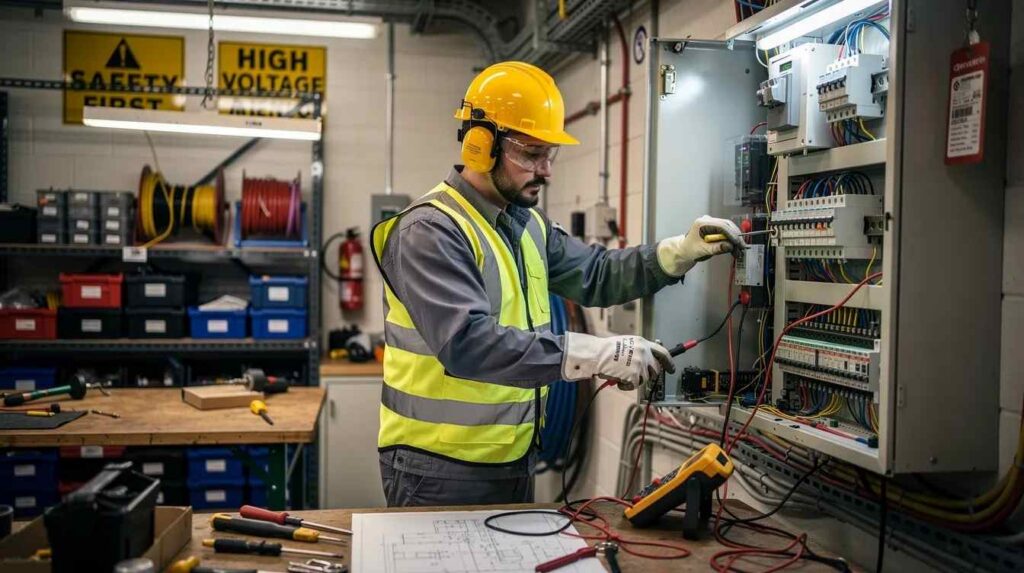
A verbal “you’re doing fine” in the hallway doesn’t create a record, doesn’t align expectations, and doesn’t help anyone during an audit. Without structured feedback, gaps in apprentice development go unnoticed until it’s too late.
Configured review cycles-30, 60-, and 90-day reviews, quarterly competency evaluations, and annual wage progression reviews-replace guesswork with a schedule. A platform prompts supervisors with structured questions covering skills, safety, professionalism, and attendance, then attaches responses directly to the apprentice record. Structured feedback cycles improve data consistency in tracking and improve communication consistency across the entire program.
Proactive mentorship and communication align organizational goals with trainee progress. When feedback is standardized, you can compare across cohorts: did the 2024 cohort hit “milestone velocity” faster than 2025? Are specific sites producing better outcomes? These comparisons become possible only when everyone answers the same questions on the same schedule. The apprentice experience improves too-clarity on expectations, fewer surprises, and better career progression conversations.
Compliance Documentation, OJT Hours, and Audit-Ready Records
Registered apprenticeship programs carry regulatory requirements: documented OJT hours, RTI completions, wage steps, and completion records must be accurate and retrievable. RAPIDS requires accurate, timely reporting of apprenticeship data, and RAPIDS requires accurate, timely participant data submissions-there’s no grace period for disorganized records.
Recording workplace learning in OJT logs captures hours, tasks, and skills practiced. A platform logs these entries with supervisor-approved timestamps, categorized by occupation, task, and date-for example, “March 3, 2026 – 8 OJT hours on CNC setup, approved by J. Martinez.” Time-based programs typically require about 144 RTI hours per year, and OJT hours can range from 4,000 to 8,000 total depending on the trade.
Audit-ready programs need organized, timestamped documentation. Audit trails include sign-offs on wage changes, RTI attendance, and assessment results, all retrievable by program, cohort, or individual. Centralized systems reduce administrative burden during audits because everything lives in one place with complete version history. Apprenticeship software supports accurate RAPIDS reporting for compliance by generating RAPIDS-, WIPS-, and PIRL-ready datasets from daily activity.
Compliance documentation should be generated continuously, not retroactively. When compliance is a continuous byproduct of normal workflows, the scramble before audits disappears entirely.
Dashboards and Progress Reporting: Turning Activity Into Insight
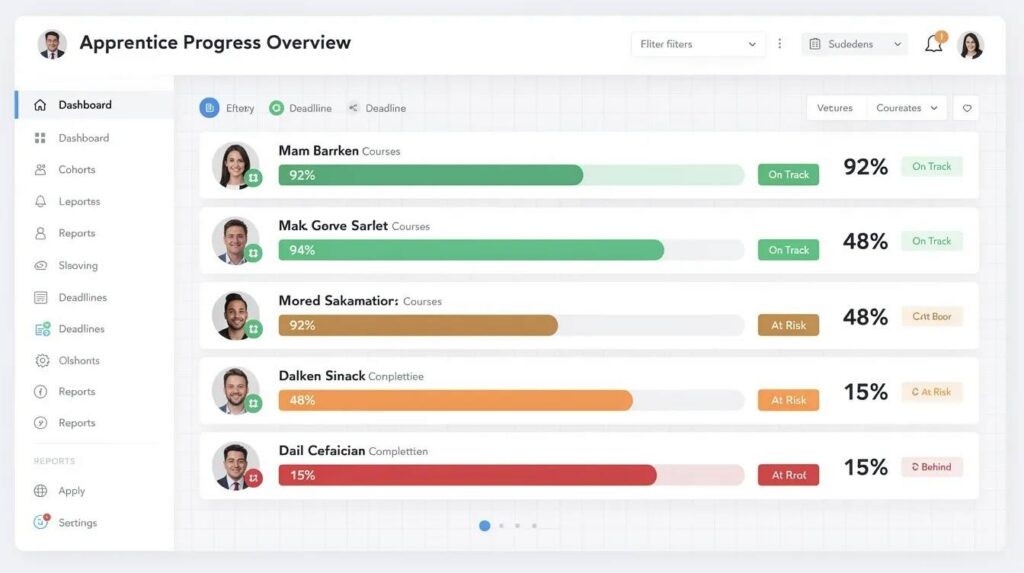
Leaders and coordinators need dashboards, not raw CSV exports or pivot tables that take hours to interpret. Centralized dashboards allow for holistic views of apprenticeship programs and resource allocation, turning scattered data into decisions.
Specific dashboard views that matter: apprentices at risk (behind on OJT or RTI hours), upcoming completions, wage step eligibility dates, and cohort comparison charts. Good monitoring systems identify struggling apprentices using early-warning indicators like low hours, missing RTI completions, or gaps in competency sign-offs. Real-time dashboards enable weekly stand-ups: Monday meetings where staff identify five apprentices needing intervention this month.
Apprentices benefit from real-time access to their progress data, and real-time updates enhance transparency for all program participants. The difference between program-level analytics (completion rates, average time-to-journeyworker) and transaction-level detail (hours per task per day) matters for different audiences. Dashboards should be exportable as PDFs or slide-ready snapshots for leadership presentations and board reports.
Cohort and Program Management Across Multiple Sites and Occupations
Consider a community college managing four occupations across three employer partners with spring and fall intakes. Without a system, each coordinator maintains their own spreadsheets, and nobody has a cross-program view.
A platform separates and links objects: occupation standards, program variants, cohorts, and employer sites. Cross-cohort views let you see all 2024 apprentices in one dashboard, regardless of employer, with filters for location, occupation, or program sponsor. This eliminates reliance on individual coordinators’ personal spreadsheets and ensures consistent compliance standards across employers and partners.
Operational benefits extend to specific pathways: youth apprenticeship programs feeding from high school pre-apprenticeship into registered apprenticeship via employer partners, or internship-to-apprenticeship pipelines where tracking must be continuous across stages.
Key Features to Look For in Apprenticeship Management Software
When evaluating apprenticeship software, focus on capabilities that directly support real-world operations and ensure compliance- not just polished sales demos.
Must-have capabilities include configurable milestone maps per trade, OJT and RTI hour tracking with granular task categories, role-based sign-offs from journeyworkers and supervisors, structured review cycles, document management for agreements and certificates, and multi-stakeholder portals. Software can track OJT hours and competency progressions automatically, eliminating manual reconciliation.
Reporting necessities: built-in RAPIDS, WIPS, and PIRL exports, cohort dashboards, and ad-hoc report builders that don’t require Excel manipulation. Mobile accessibility matters because apprentices and supervisors need to log hours and view milestones on job sites via iOS or Android. The flexibility ensures that data entry happens where work happens, not days later at a desktop.
Avoid “bolt-on” solutions-generic HR or LMS tools retrofitted for apprenticeship tracking. Disconnected tools that rely on third-party add-ons for core functions like competency mapping or wage tracking create fragile systems that break when any piece updates.
Integrations: HR, Payroll, SIS, and LMS Connections That Actually Matter
As a program grows, integration with existing systems eliminates duplicate entry and reduces errors. Manual input into three or four separate platforms is where accuracy dies.
HRIS and payroll integrations sync employee IDs, automate wage progression when milestones are approved, and update status changes without re-keying data. Education-side integrations with SIS or LMS platforms pull RTI course completions and grades automatically, keeping apprentice records current without coordinator intervention.
Core compliance integrations-RAPIDS export formats, state apprenticeship system data requirements-should be tested before go-live. Ask vendors: who owns and maintains integrations? What’s the update schedule? How are failures monitored and surfaced to your team?
From Manual to Digital: What the First 90 Days on a Platform Should Look Like
Moving from spreadsheets to apprenticeship management software doesn’t require a six-month implementation. Here’s a realistic 90-day onboarding plan for a mid-sized sponsor.
By Day 30: Core programs configured, OJT and RTI structures loaded, at least one pilot cohort logging hours and getting digital sign-offs. Verify that the system can generate a draft RAPIDS export from pilot data.
By Day 60: Supervisors using structured reviews, dashboards informing weekly check-ins, first automated RAPIDS and WIPS draft reports generated. The team should be testing form configurations and access permissions across roles.
By Day 90: All active cohorts migrated, consistent data across programs, leadership using dashboards for decisions. Spreadsheets become historical archives only. Change management matters: identify champion users, run supervisor training sessions, and set clear expectations for apprentices on using mobile or web portals.
Readiness Checklist: Are You Ready to Move Beyond Spreadsheets?
Ask your team these questions:
- Do you manage more than 20 apprentices?
- Do you track more than two occupations or trades?
- Do you coordinate with multiple employers or campuses?
- Do you face regular audits or RAPIDS submissions?
- Has staff turnover caused you to lose tracking knowledge?
- Are apprentices unable to verify their own progress or wage step eligibility?
- Does your department spend more time on data reconciliation than program development?
If you answered yes to three or more, your program’s risk and complexity justify a purpose-built apprenticeship management platform. Share this checklist with compliance, HR, and training teams for a joint conversation about next steps.
How GoSprout Manages Apprentice Progress End-to-End
GoSprout is an all-in-one apprenticeship management platform designed for employers, schools, sponsors, and apprentices managing registered apprenticeship, pre-apprenticeship, and internship programs.
Core apprentice progress features include OJT and RTI tracking tied to competency maps, a mobile app for apprentices to log hours and view milestones, and role-based supervisor sign-offs with timestamped accountability. Compliance capabilities include built-in RAPIDS, WIPS, and PIRL exports, continuous audit trails, and document management for standards, wage schedules, and certificates.
Multi-stakeholder collaboration means sponsors, employers, and educators each get tailored dashboards while sharing a single data source. An employer scaling from 15 to 120 apprentices uses GoSprout to manage the process without adding administrative headcount. A school district coordinating youth apprenticeship with several employer partners uses the same platform to create consistent standards and track apprentice achievements across sites and trades.

Common Mistakes When Choosing Apprenticeship Management Software
Don’t buy management software based on demos alone without testing real workflows with your actual data.
Mistake 1: Choosing generic HR or LMS tools and trying to retrofit them for OJT tracking, competencies, and wage steps. These tools weren’t designed for apprenticeship and will require costly workarounds that still miss compliance gaps.
Mistake 2: Underestimating reporting complexity. State requirements vary, RAPIDS has specific field expectations, and WIPS and PIRL add additional layers. If the software can’t produce these exports cleanly, you’ll still be doing manual work.
Mistake 3: Ignoring supervisor and apprentice user experience. If the tool is clunky on mobile or requires too many steps, supervisors won’t log hours and apprentices won’t engage. Poor adoption means incomplete data.
Mitigation: pilot with one cohort, test a complete RAPIDS export, and involve frontline supervisors and instructors in evaluation before committing.
Frequently Asked Questions About Apprenticeship Progress Tracking
What should “apprentice progress” include beyond hours? Apprentice progress should encompass competencies achieved, credentials earned, wage steps completed, structured feedback from supervisors, and RTI course completions. Hours are the foundation, but tracking without milestones and competencies misses the full picture of apprentice development.
How does apprenticeship management software support registered apprenticeship compliance? The software automates OJT hour logging, RTI tracking, and RAPIDS submissions. It maintains accurate records with timestamped sign-offs and generates compliance documentation continuously rather than retroactively, keeping programs audit-ready at all times.
How do we migrate historical spreadsheets into a new platform? Most platforms support data import from structured spreadsheets. The process typically involves mapping your existing columns to the platform’s data fields, validating imported records, and verifying accuracy against original files. Historical paper records can be scanned and attached as documents.
Can apprentices log hours and access progress from their phones? Yes. Platforms like GoSprout offer mobile apps where apprentices can log OJT hours, view milestones, and access feedback even with intermittent connectivity. Effective software provides real-time progress monitoring for apprentices regardless of location.
What about data security with multiple organizations sharing a platform? Role-based access controls ensure each stakeholder sees only what’s relevant to their role. Encryption, audit logs, and organization-level data separation protect multi-organization environments. Every account has permissions tailored to its function.
How long does implementation typically take for a mid-sized sponsor? For a program sponsor managing 50 to 200 apprentices, expect a functional system within 30 to 90 days. This includes program configuration, user training, pilot cohort setup, and initial RAPIDS export testing. The timeline depends on how many occupations, sites, and historical records need to be loaded.
Why Choose GoSprout for Apprenticeship Progress Tracking
GoSprout is purpose-built for apprenticeship and work-based learning-not a generic HR add-on with a tracking feature bolted on. The platform supports real-time multi-stakeholder dashboards, automated RAPIDS, WIPS, and PIRL reporting, a mobile apprentice app, and integrated OJT and RTI tracking on a single platform.
GoSprout fits employers, school districts, colleges, sponsors, and workforce nonprofits running programs across multiple states and occupations. Configurable standards, experienced onboarding teams familiar with DOL and state SAA requirements, and support for pre-apprenticeship and internship pathways make it a complete solution. The outcomes are measurable: reduced administrative hours per apprentice, fewer compliance surprises, higher apprentice engagement through transparency, and the capacity to scale cohorts without scaling headcount.
Next Steps: See Apprenticeship Progress Tracking in Action
Moving from manual tracking to a purpose-built apprenticeship management platform is best done before your next cohort intake or audit cycle-not after.
Schedule a GoSprout demo and bring something concrete: your current tracking spreadsheet, a recent RAPIDS submission, and your 2026–2027 growth goals. During the call, we’ll identify the top three risks in your current approach and map them directly to GoSprout capabilities. If your program is growing, your compliance is tightening, and your team is spending more time on data than on apprentices, it’s time to make the switch.