Table of Contents
- When Spreadsheets Become a Liability: The Real Cost of Managing Apprenticeships Manually
- What Is Apprentice Software, and How Does It Actually Work?
- The Features That Separate a High-Quality Platform From a Basic Tracker
- How Apprentice Software Benefits Both Businesses and Opportunity Seekers
- How to Evaluate and Choose the Right Apprenticeship Management Solution
- How GoSprout Centralizes and Simplifies the Entire Apprenticeship Lifecycle
- Conclusion: Building the Operational Foundation Your Program Deserves
- Frequently Asked Questions
When Spreadsheets Become a Liability: The Real Cost of Managing Apprenticeships Manually
The Operational Reality for HR Managers Running Programs Without Dedicated Tools

Most HR managers running apprenticeship programs without dedicated software are not managing a program. They are managing a collection of files. A spreadsheet for enrollment. A shared drive for documents. An email thread for onboarding follow-ups. A calendar reminder for compliance deadlines that someone set six months ago and may or may not still be accurate.
This arrangement works until it doesn’t. And when it breaks, it tends to break at the worst possible moments: during an audit, when a cohort scales, or when the administrator who built the system leaves.
The operational reality is that apprenticeship programs have structural complexity that generic file management cannot absorb. Each apprentice moves through a defined lifecycle with enrollment milestones, onboarding steps, skills assessments, time logs, and regulatory reporting requirements, all of which are interconnected and time-sensitive. Tracking that manually across even a small cohort means accepting a constant margin of error.
How Disorganized Tracking Compounds Into Compliance Risk
Disorganization in apprenticeship administration is not just an inconvenience. It is a compliance exposure that builds incrementally and surfaces at the worst possible time.
The Compliance Stakes: RAPIDS Reporting, RAP Standards, and What Gets Missed
Registered Apprenticeship Programs (RAPs) operate under specific federal standards. Employers are required to report apprentice data to the RAPIDS system, including enrollment, hours worked, on-the-job training progress, and program completion. These are not optional filings. Gaps in documentation or late reporting can jeopardize a program’s registered status, which affects both the employer’s ability to offer recognized credentials and, in some cases, access to public funding.
When this data lives in disconnected spreadsheets, the reporting process requires someone to manually compile, cross-reference, and verify records before each submission. That creates two problems: it is time-consuming, and it is prone to error. A missed update or a misaligned date is easy to overlook in a spreadsheet and difficult to defend in an audit.
When Onboarding Steps Fall Through the Cracks
Onboarding a single apprentice manually is manageable. Onboarding three cohorts of varying sizes, each at different program stages, with different supervisors and compliance deadlines, is where manual tracking fails structurally.
Without a system that assigns, tracks, and escalates onboarding tasks, steps get missed. A required training goes uncompleted. A signed agreement is never filed. A skills baseline is never recorded. None of these omissions feel urgent in the moment. They become urgent when you are trying to demonstrate program integrity to a sponsor or state agency.
The Hidden Time Tax on Program Administrators
Beyond compliance risk, there is a quieter cost: the hours program administrators spend on coordination work that adds no strategic value. Sending reminder emails. Updating status columns in a spreadsheet. Pulling together progress reports by hand. Tracking down supervisors for sign-offs that should have been automated.
For programs managing more than a handful of apprentices, this time cost is not trivial. It is recurring administrative overhead that compounds across every cohort, every reporting cycle, and every new enrollment. The hours spent maintaining a manual system are hours not spent improving program design, engaging with apprentices, or developing employer partnerships.
Why Generic HR Tools Fail Apprenticeship Programs
The Structural Mismatch Between Repurposed Software and Apprenticeship Lifecycle Needs
A standard applicant tracking system is designed to move candidates through a hiring funnel and stop at the offer letter. A learning management system is designed to deliver training content and track course completion. Neither tool is built around the apprenticeship lifecycle, which begins before enrollment and extends through years of structured on-the-job training, competency development, and regulatory reporting.
When HR teams try to force apprenticeship workflows into these tools, they end up building workarounds. They export data into spreadsheets to compensate for what the ATS cannot track. They build parallel systems to handle compliance documentation the LMS does not support. The result is not one system. It is three partial systems that require constant manual reconciliation.
What “Good Enough” Actually Costs Over a Full Program Cycle
A repurposed tool that covers 60 percent of a program’s needs creates invisible overhead for the remaining 40 percent. Over a full apprenticeship cycle of two to four years, that overhead accumulates. Compliance gaps widen. Reporting takes longer. Program administrators burn time maintaining workarounds instead of improving outcomes.
The cost of “good enough” is not just inefficiency. It is the structural ceiling it places on how well a program can actually be run.
What Is Apprentice Software, and How Does It Actually Work?
A Precise Definition: Purpose-Built Versus Repurposed HR Technology
Apprentice software, also referred to as an apprenticeship management platform or apprenticeship management system (AMS), is a platform built specifically to administer the full lifecycle of an apprenticeship program. The distinction from repurposed HR technology is architectural, not cosmetic.
A purpose-built AMS organizes workflows around how apprenticeship programs actually function: structured enrollment, phased onboarding, ongoing competency tracking, time logging, compliance documentation, and progress reporting. Each of these is a native feature, not a configured workaround. The system does not need to be taught what an apprenticeship is. It is already designed around one.
The Apprenticeship Lifecycle This Software Is Designed to Manage
Candidate Pipeline and Enrollment Management
Before a program can be managed, it has to be filled. Purpose-built apprentice software handles the candidate pipeline from initial application through program enrollment, maintaining a structured record of each applicant’s status, documentation, and eligibility. This eliminates the enrollment-tracking spreadsheet and gives administrators a single, auditable view of who is in process and where they stand.
Onboarding Workflow Automation and Skills Tracking
Once enrolled, each apprentice moves through a structured onboarding sequence. A well-designed AMS assigns tasks automatically, tracks completion, and escalates overdue steps without requiring manual follow-up. Skills tracking begins at onboarding, establishing a documented baseline that feeds into competency assessments throughout the program.
Ongoing Compliance Monitoring and Progress Reporting
Compliance is not a one-time filing. It runs continuously throughout the apprenticeship. Purpose-built internship tracking software and apprenticeship management tools monitor program milestones against RAP standards, maintain the documentation required for RAPIDS reporting, and generate audit-ready records without requiring administrators to build reports manually.
How a Dual-Sided Platform Serves Both the Employer and the Apprentice
The most capable apprenticeship management systems serve two users simultaneously. On the employer side, administrators get oversight tools: enrollment tracking, compliance dashboards, time logs, and reporting. On the apprentice side, the platform provides a structured view of their own progress, covering what tasks are complete, what skills have been assessed, and where they stand in the program.
This dual-sided architecture matters for more than user experience. When apprentices have direct visibility into their own records, it reduces the administrative burden on supervisors and creates a natural accountability structure that supports stronger completion rates.

What Differentiates an Apprenticeship Management System From an ATS or LMS
The functional gap between an AMS and a standard ATS or LMS comes down to scope and structure. An ATS ends at hire. An LMS tracks learning content. An AMS spans the entire program lifecycle and connects the phases those tools treat as separate.
More specifically, an AMS is built around time-in-program logic, not event-based triggers. It tracks cumulative hours, competency progression over months or years, and regulatory milestones that evolve as the apprentice advances. Neither an ATS nor an LMS is architected for that.
Purpose-Built vs. Generic Tools: A Feature-by-Feature Evaluation Framework
Use this framework to assess whether your current system, or a platform you are evaluating, is structurally equipped to manage an apprenticeship program.
Enrollment and Pipeline Management
- Purpose-built AMS: Structured application tracking, eligibility documentation, and enrollment confirmation in a single workflow.
- Generic HR tool: Requires manual setup or workaround, typically a repurposed ATS hiring pipeline not designed for program enrollment logic.
Onboarding Workflow Automation
- Purpose-built AMS: Task assignments triggered automatically at enrollment, with escalation for overdue steps and supervisor notifications built in.
- Generic HR tool: Onboarding checklists may exist but are not connected to program milestones or compliance timelines.
Compliance Documentation and RAPIDS Reporting
- Purpose-built AMS: Maintains RAP-aligned records throughout the program, generates RAPIDS-ready reports, and flags documentation gaps before they become audit issues.
- Generic HR tool: No native support for RAPIDS or RAP standards. Compliance documentation requires a separate process.
Competency and Skills Tracking
- Purpose-built AMS: Tracks skill acquisition over time against defined program competencies, with assessor input and apprentice visibility built into the same record.
- Generic HR tool: LMS course completion is not the same as competency tracking. Most generic tools do not support longitudinal skills assessment tied to program standards.
Time Tracking and Milestone Monitoring
- Purpose-built AMS: Logs on-the-job training hours in context, tied to program milestones and reportable for federal compliance.
- Generic HR tool: General time tracking does not connect to RAP standards or generate the documentation format required for registered programs.
Multi-User Access and Role-Based Visibility
- Purpose-built AMS: Separate access levels for administrators, supervisors, and apprentices, each seeing what is relevant to their role without redundant data entry.
- Generic HR tool: Access controls exist but are not configured around the distinct roles an apprenticeship program requires.
If three or more of these capabilities require a workaround in your current system, you are managing an apprenticeship program with tools that were not built for it. That gap carries a measurable cost in time, compliance exposure, and program quality.
The Features That Separate a High-Quality Platform From a Basic Tracker
Not all apprenticeship management systems are built to the same standard. Some platforms handle enrollment and stop there. Others track compliance documentation but leave onboarding to manual processes. A high-quality platform closes all of those gaps, and the difference between a capable system and a basic tracker becomes visible within the first program cycle.
Candidate Pipeline Management and Structured Enrollment Workflows
Pipeline management in a purpose-built system does more than store applicant records. It moves candidates through a defined sequence, covering application, eligibility review, documentation collection, and formal enrollment, with each step logged and auditable. Administrators get a real-time view of where every candidate stands, which documentation is outstanding, and what actions are required before enrollment can be confirmed. This structure eliminates the enrollment spreadsheet and the coordination overhead that comes with it.
Onboarding Automation: Eliminating Manual Follow-Up Across Multiple Cohorts
Once enrollment is confirmed, the onboarding sequence should start automatically. A strong platform assigns tasks to the right people, including the apprentice, the supervisor, and any additional stakeholders, based on the program configuration rather than manual input from an administrator. Overdue steps surface without anyone having to check. Supervisors receive notifications. Nothing moves forward silently.
This matters most when running multiple cohorts simultaneously. At that scale, manual follow-up does not just take time. It creates inconsistency. One cohort receives a thorough onboarding experience because an administrator had capacity that week. Another does not.
Compliance Tracking and Regulatory Reporting Built Into the Workflow

Compliance is where many programs carry the most risk and where basic trackers fall shortest. A high-quality platform does not treat compliance as a separate module. It builds documentation and monitoring directly into the day-to-day workflow.
What Compliance Features Should Do at the Task Level
At the task level, compliance features should flag missing documentation before a deadline, not after. They should maintain a continuous record of completed milestones, signed agreements, and logged hours in a format that can be produced for an audit without manual compilation. The system should surface gaps proactively rather than waiting for an administrator to run a report.
How Purpose-Built Software Handles RAPIDS Reporting and RAP-Aligned Documentation
Registered Apprenticeship Programs require data submissions to the RAPIDS system covering enrollment, hours, and progression. A platform built for this generates those records as a byproduct of normal program administration, not as a separate reporting task. RAP-aligned documentation stays current throughout the program, and when a reporting cycle arrives, the data is already organized. That shift from reactive compilation to continuous documentation is one of the most tangible differences between purpose-built apprentice software and a configured workaround.
Competency Management and Skills Assessment Over the Program Lifecycle
Tracking competency is not the same as tracking course completion. A strong apprenticeship management platform records skill acquisition longitudinally, documenting when a competency was assessed, who assessed it, the result, and how it maps to the program’s defined standards. This creates a verifiable record of development that supports both RAP compliance and the employer’s own quality benchmarks. Apprentices and supervisors both need visibility into this record, and the best platforms give both groups access through role-appropriate views.
Time Tracking, Milestone Monitoring, and Progress Visibility
On-the-job training hours are a core compliance data point for registered programs. Time tracking in a purpose-built platform is tied directly to program milestones, not just to payroll. Hours accumulate against program requirements, and administrators can see at a glance whether each apprentice is on pace. Milestone monitoring adds another layer, flagging when an apprentice has not reached an expected program stage by the appropriate point in the timeline. Together, these features give administrators the visibility to intervene early rather than discover problems at the end of a program cycle.
Data Centralization and Multi-User Access Across Program Stakeholders
An apprenticeship program involves multiple stakeholders: administrators, supervisors, training coordinators, and the apprentices themselves. When data is centralized in a workforce development technology platform, each role accesses the same record, and input from one role updates the record for everyone. Supervisors log assessments. Apprentices complete tasks. Administrators review the full picture. No one is working from a separate file or an outdated export. Role-based access controls ensure each user sees what is relevant to their responsibilities without requiring redundant data entry across systems.
Scalability: What the Platform Should Look Like as Programs Grow
A platform that works for ten apprentices should still work for one hundred. Scalability is not just a capacity question. It is a structural one. As programs grow, the number of concurrent cohorts, compliance timelines, and supervisor relationships multiplies. A scalable platform manages that complexity through configurable program templates, bulk enrollment workflows, and reporting that aggregates across the full program rather than requiring cohort-by-cohort review. If a platform requires significantly more administrative effort to manage a larger cohort, it is not scaling. It is simply holding more data.
How Apprentice Software Benefits Both Businesses and Opportunity Seekers
The operational case for dedicated apprentice software is clear on the employer side. But the platform also shapes what the apprenticeship experience feels like for the person going through it, and that side of the equation has a direct effect on retention, engagement, and the long-term quality of the talent pipeline.
Operational Gains for Employers: From Reactive Administration to Structured Oversight
How Automation Reduces Time-to-Productivity for New Apprentices
Manual onboarding creates delays that are easy to normalize and difficult to measure. When tasks are assigned manually, chased via email, and confirmed through a spreadsheet update, the sequence takes longer than it should. New apprentices spend their first days waiting for access, instructions, or signatures rather than starting productive work. Automated onboarding workflows compress that window. Tasks go out immediately at enrollment, completions are tracked in real time, and administrators can see exactly where a bottleneck exists rather than guessing.
Program Integrity, Auditability, and the Confidence That Comes With It
Structured oversight does something beyond reducing administrative burden. It changes the quality of decisions program managers can make. When every enrollment, task, assessment, and time log is in one system, administrators can identify patterns: which supervisors are behind on assessments, which cohorts have higher incompletion rates, which onboarding steps are consistently skipped. That level of visibility is not available in a spreadsheet environment, and it is the foundation of continuous program improvement.
The Apprentice Experience: Why Platform Design on the Learner Side Matters
Structured Onboarding as a Signal of Employer Seriousness
The onboarding experience signals something to a new apprentice about how the organization operates. A structured, well-sequenced onboarding process, where tasks arrive clearly, expectations are documented, and progress is tracked, communicates that the program was designed deliberately. That signal matters for early engagement. Apprentices who feel uncertain about what is expected, or who encounter administrative disorganization in their first week, are more likely to disengage before the program gains momentum.
Progress Transparency and Its Effect on Retention and Engagement
When apprentices can see their own progress, including completed competencies, logged hours, and upcoming milestones, they engage with the program differently than when progress is opaque. Transparency reduces uncertainty about where they stand and creates a concrete record of development they can point to. It also gives supervisors and apprentices a shared reference point for development conversations, replacing vague feedback with documented evidence of skill acquisition.
How Better Program Management Strengthens the Emerging Talent Pipeline
A well-managed apprenticeship program produces a different outcome than one held together with spreadsheets. Apprentices complete the program at higher rates. Skills are documented in ways that support credential attainment. Program data accumulates in a form that lets administrators refine and improve future cohorts. Over time, that operational quality compounds into a stronger emerging talent pipeline, one where the employer’s reputation for running a serious, well-supported program becomes a recruiting advantage in itself.
How to Evaluate and Choose the Right Apprenticeship Management Solution
Framing the Evaluation: What Problem Are You Actually Solving?
Before comparing platforms, be specific about what your program actually needs. A small employer running a single registered apprenticeship with ten participants has different requirements than a workforce intermediary managing multiple employer-partners and several hundred apprentices. The evaluation criteria shift based on program stage, regulatory context, and internal capacity. Start by identifying the three or four friction points that cost your team the most time or create the most compliance exposure. Those should drive the evaluation, not a generic feature checklist.
Want to Learn More About Your Registered Apprenticeship Opportunities?
BOOK A FREE CONSULTATION
Key Questions to Ask Before Choosing an Apprenticeship Management Solution
Does the Platform Support the Full Apprenticeship Lifecycle or Only Part of It?
Ask vendors to walk through the platform from candidate intake through program completion and final reporting. Many systems cover enrollment or compliance well but hand off to manual processes for the phases in between. A platform that handles 70 percent of the lifecycle still requires you to build and maintain the other 30 percent somewhere else.
How Does the Platform Handle Compliance Documentation and Audit Readiness?
Ask for a demonstration of what an audit-ready export looks like. Can the system produce a complete documentation record for a single apprentice, including time logs, competency assessments, and signed agreements, on demand? How does it handle a discrepancy between logged hours and program requirements? Compliance features should be demonstrable, not merely described.
What Does Implementation Actually Require, and How Long Does It Take?
Implementation timelines vary significantly. Some platforms require weeks of configuration and data migration before they are functional. Others can be operational within days. Get a specific answer about what the onboarding process requires from your team, what vendor support is provided, and what a realistic timeline to full adoption looks like for a program of your size.
How Do I Transition From Spreadsheets to Apprenticeship Software?
This is the question most HR managers have and few vendors answer directly. The practical answer involves three stages: a one-time data migration of existing apprentice records, a configuration phase to set up program templates and user roles, and a parallel-run period where both systems are active until the team is confident in the new platform. A vendor that cannot describe this process in concrete terms has not guided many organizations through it. Ask for references from employers who made this transition at a comparable program scale.
Industry-Specific Workflow Considerations: Not All Programs Are Structured the Same
Apprenticeship programs in construction, healthcare, manufacturing, and technology each carry distinct workflow requirements. Construction programs often involve multi-site supervision and joint apprenticeship committee (JAC) reporting. Healthcare programs may require credential verification and clinical rotation tracking alongside the standard RAP documentation. A platform built only around a generic program template may not accommodate those requirements without significant configuration. During evaluation, walk through your program’s specific workflow with the vendor and confirm that the system handles it natively, not through a workaround.
Evaluating Integration Fit With Your Existing HR Tech Stack
The integration question has two layers. The first is technical: does the platform connect to your HRIS, payroll system, or document management tools? The second is practical: does that integration reduce manual work, or does it require ongoing maintenance that creates its own overhead? Prioritize integrations that eliminate duplicate data entry for high-frequency records, specifically employee enrollment, time logs, and document storage. Lower-frequency data points may not justify the complexity of a live integration.
How to Assess Vendor Credibility Without Getting Lost in Feature Lists
Feature lists tell you what a platform claims to do. Implementation support, customer references, and product development history tell you how it actually performs. Ask vendors for case studies from programs comparable to yours in size and industry. Ask what has changed in the platform over the past year and what is on the roadmap. A vendor that cannot articulate a product development direction is maintaining a static tool, not building toward the evolving compliance and workflow needs of modern apprenticeship programs. The credibility markers that matter most are specificity, demonstrated experience with registered programs, and a clear description of what ongoing support looks like after implementation.
How GoSprout Centralizes and Simplifies the Entire Apprenticeship Lifecycle
Why Purpose-Built Architecture Produces Different Outcomes Than Configured Generic Tools
The difference between purpose-built and configured-generic is not a matter of features on a checklist. It is a matter of what the system assumes by default. A generic HR tool configured for apprenticeship management starts from a blank slate and requires someone to build the logic in: what triggers onboarding, how compliance milestones connect to time logs, where competency records live in relation to enrollment data. That configuration work creates a system that approximates what a purpose-built platform does natively, but it requires ongoing maintenance, breaks when personnel change, and never fully closes the structural gaps.
GoSprout is built from the ground up around how registered apprenticeship programs actually operate. The enrollment logic, compliance documentation, and competency tracking are not modules bolted onto a general HR framework. They are the framework. That means administrators are not managing workarounds alongside a program. They are managing the program.
GoSprout’s Approach to the Dual-Sided Platform: Employer and Apprentice in One System
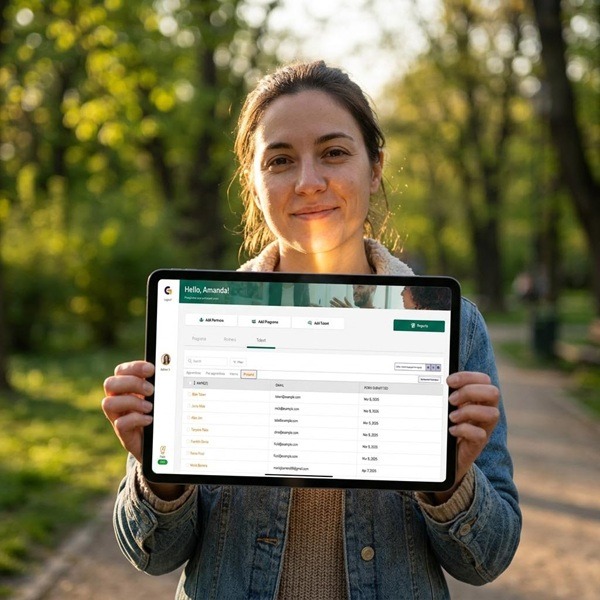
GoSprout operates as a single system with two distinct views: one for employers and program administrators, one for apprentices. Both sides interact with the same underlying record, which eliminates the data fragmentation that typically develops when employer-facing tools and apprentice-facing tools do not share a common source of truth.
On the employer side, administrators have real-time visibility into every active apprentice: where they are in the program, what documentation is outstanding, which compliance milestones are approaching, and which supervisors have not completed required assessments. On the apprentice side, each participant can see their own progress, including completed tasks, logged hours, assessed competencies, and upcoming milestones, without requiring an administrator to generate and share a separate report.
This architecture meaningfully reduces the coordination burden. Apprentices are not waiting on status updates. Supervisors are not fielding separate check-in requests. The program record stays current because both sides are actively contributing to it.
How GoSprout Addresses the Specific Failure Points of Manual Program Management
Compliance Workflows, Enrollment Tracking, and Audit-Ready Reporting
The compliance failure points in manual programs are predictable: documentation gaps, late RAPIDS submissions, and records that require manual compilation before they are usable in an audit. GoSprout addresses each of these at the workflow level rather than the reporting layer.
Enrollment records are structured from the point of application, capturing the documentation and eligibility information a registered program requires rather than relying on administrators to know what to collect. Compliance milestones are tracked continuously throughout the program, tied to time logs and competency records in the same system. When a reporting cycle arrives, the data does not need to be assembled. It is already organized in a format aligned with RAPIDS requirements. And if a gap exists, GoSprout surfaces it proactively, before it becomes an audit finding rather than after.
Onboarding Automation and Competency Monitoring at Scale
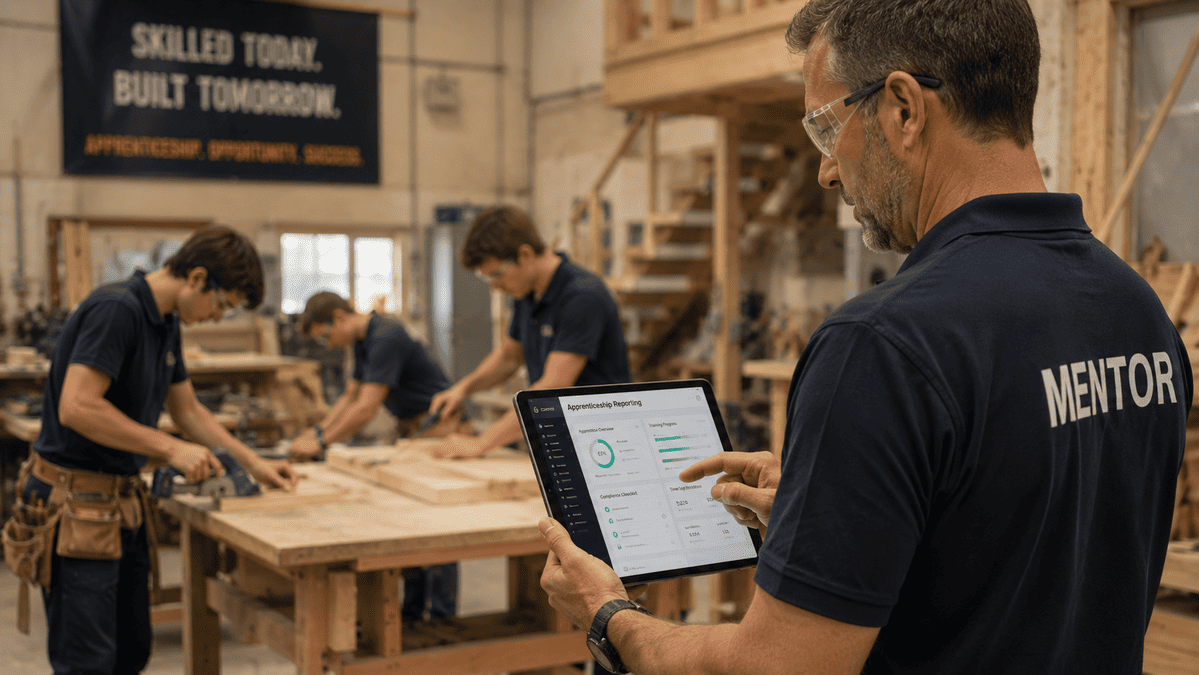
Manual onboarding breaks at scale not because administrators are careless, but because the volume of tasks across multiple cohorts exceeds what any manual process can track consistently. GoSprout automates the onboarding sequence from the point of enrollment: tasks are assigned to the appropriate parties, supervisors receive notifications for required actions, and overdue steps surface in the administrator dashboard without requiring a manual review cycle.
Competency monitoring follows the same logic. As apprentices advance through the program, assessors log skill evaluations directly in the platform. Those records accumulate against the program’s defined competency framework, giving administrators and supervisors a longitudinal view of each apprentice’s development rather than a snapshot from the last check-in. That record supports both RAP compliance and the employer’s own standards for workforce development.
What Transitioning to GoSprout Looks Like in Practice
The transition from spreadsheets to a dedicated apprenticeship management system is the step most program administrators approach with the most uncertainty. In practice, the process has three stages.
The first is data migration. Existing apprentice records, enrollment data, and documentation move into the platform. GoSprout’s onboarding support guides this process, and most programs complete it without requiring technical resources from the HR team.
The second is configuration. Program templates, user roles, and compliance documentation structures are set up to match the program’s specific requirements. For registered programs, this includes aligning the platform to RAP standards and any state-level documentation requirements.
The third is adoption. The team runs the new platform as the primary system, with GoSprout support available through the initial program cycle to address questions as they arise. Most programs reach full operational adoption within the first cohort, not because the transition is trivial, but because the platform is built around workflows HR managers already understand.
Is GoSprout the Right Fit for Your Program Stage?
- Early-stage programs (one to two cohorts, under 25 apprentices): GoSprout establishes compliant infrastructure before manual habits become entrenched. Implementation is straightforward, and the structure supports program registration and credentialing from the start.
- Growing programs (multiple cohorts, 25 to 100 or more apprentices): GoSprout handles the coordination complexity that breaks manual systems, including concurrent timelines, multi-supervisor oversight, and cross-cohort reporting, without proportional increases in administrative effort.
- Established programs transitioning from spreadsheets: GoSprout’s data migration support and configurable program templates make the transition structured rather than disruptive, with audit-ready records from day one.
If your program has outgrown its current tracking system, or was never set up with the right one, GoSprout is built for exactly that situation.
Conclusion: Building the Operational Foundation Your Program Deserves
The Central Argument in Summary
Managing apprenticeships with generic tools is not simply an inconvenient approach that gets the job done more slowly. It is an approach that structurally limits what a program can achieve, capping compliance integrity, onboarding quality, and program visibility at whatever level a patchwork of spreadsheets and repurposed tools can sustain. The argument for purpose-built apprentice software is not that it is more convenient. It is that the operational cost of not having it is ongoing, compounding, and largely invisible until something breaks.
The Evaluation Confidence You Now Have
You now have a concrete framework for evaluation. You know what features a high-quality apprenticeship management platform covers natively: enrollment structure, onboarding automation, RAPIDS-aligned compliance documentation, longitudinal competency tracking, and scalable multi-cohort management.
You know what questions to ask vendors, including whether the platform covers the full program lifecycle, how it handles audit readiness, and what implementation actually requires from your team. And you know the red flags: platforms that treat compliance as a separate module, vendors who cannot walk through a specific audit export, and systems that require more administrative effort as the program grows.
Next Step: Exploring GoSprout as Your Apprenticeship Management Foundation
If you are running a registered apprenticeship program on spreadsheets, generic HR tools, or a partial tracker that covers some of the lifecycle but not all of it, the gap between your current system and a purpose-built platform is costing you more than time. It is affecting program quality, compliance confidence, and the experience of every apprentice who moves through it.
GoSprout is designed to close that gap, not by adding features to a general-purpose tool, but by building the entire apprenticeship lifecycle into a single, structured platform. The right next step is to see how it handles the specific workflows your program depends on.
Frequently Asked Questions
Apprentice software, sometimes called an apprenticeship management platform or apprenticeship management system, is a purpose-built platform designed to administer the full lifecycle of an apprenticeship program. Unlike general HR tools, it is built specifically around apprenticeship workflows: structured enrollment, onboarding automation, competency tracking, time logging, and regulatory compliance documentation. The result is a single system that manages every phase of the program without requiring manual workarounds.
The most important features to evaluate are enrollment and pipeline management, onboarding workflow automation, compliance documentation aligned to RAP and RAPIDS standards, longitudinal competency tracking, time logging tied to program milestones, and role-based access for administrators, supervisors, and apprentices. A high-quality platform covers all of these natively. If a vendor requires you to configure workarounds for more than a few of these capabilities, the platform was not built for apprenticeship program administration.
Purpose-built apprenticeship management tools are designed around the compliance requirements of Registered Apprenticeship Programs. This includes maintaining documentation aligned to RAP standards, formatting time logs for RAPIDS reporting, tracking milestone completion against program terms, and producing audit-ready records on demand. For state-registered programs, requirements vary by jurisdiction, and a well-designed platform accommodates that variation through configurable documentation templates rather than requiring a separate process for each state.
The transition typically involves three stages: data migration, configuration, and adoption. During migration, existing apprentice records and enrollment data are moved into the new platform. During configuration, program templates, user roles, and compliance structures are set up to match your specific program requirements. During adoption, the platform becomes the primary system, usually with vendor support available through the first program cycle. A reputable vendor will describe this process in concrete terms and provide references from programs that have completed a similar transition.
Implementation timelines depend on program size, existing data complexity, and vendor support. Some platforms can be operationally configured within a few days for smaller programs. Others require several weeks for larger or more complex programs with extensive historical data. The most important question to ask a vendor is not how long implementation takes in the best case, but what it realistically requires from your team and what support is provided throughout the process.
Most credible apprenticeship management platforms offer integration with common HRIS and payroll tools, either through direct API connections or structured data exports. The practical priority is whether the integration eliminates duplicate data entry for high-frequency records such as employee enrollment, time logs, and document storage. When evaluating a platform, confirm which integrations are available natively versus those that require custom development, and clarify what ongoing maintenance those connections involve.


